14 Modern Concepts for Web Design Inspiration
Finding the right creative spark for a website can be surprisingly tough. With an endless sea of design trends available, the challenge isn’t just to find a concept that looks good, but it’s finding one that truly aligns with your brand’s identity.
Beyond the initial design phase lies the next hurdle: execution. Bridging the gap between a beautiful concept and a high-performance build requires a delicate balance of aesthetic intuition and technical expertise.
In this post, we’re handling the inspiration for you. We’ve curated 14 web design concepts that are as functional as they are eye-opening. To help you move from idea to implementation, we’ve broken each one down by:
- Concept: The “Big Idea” and the psychology behind the style.
- Colors: The specific palettes that bring the vibe to life.
- Fonts: The typography pairings that define the brand voice.
- Implementation: A look at the technical requirements and build complexity.
- Examples: Real-world references to spark your creativity.
It’s a long list. Let’s dive in & find your brand’s next look.
01. Bento Box Web Design
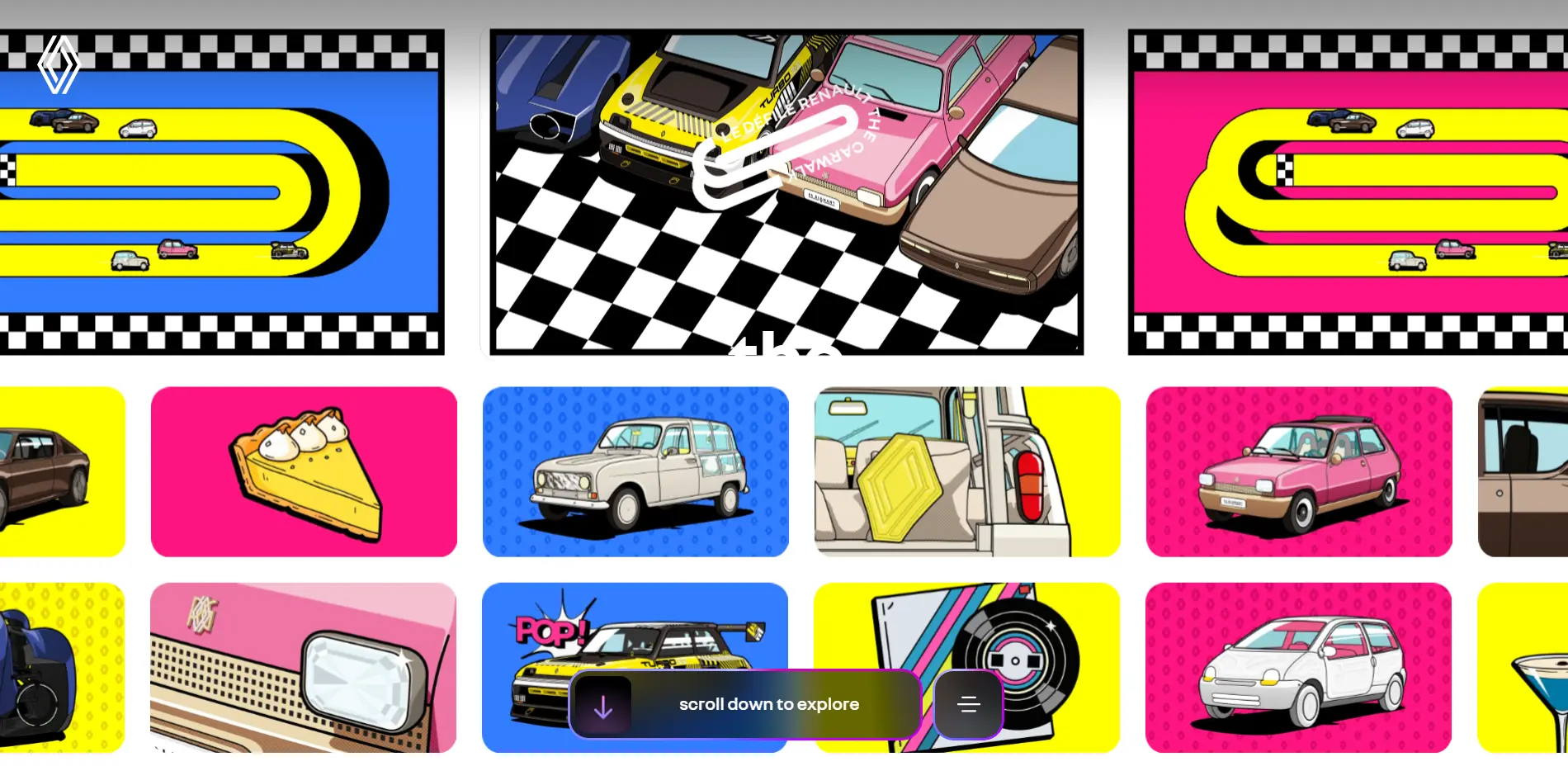
The Bento Box concept organizes content into distinct, rectangular compartments—just like a partitioned Japanese lunch box. Popularized by Apple, this style represents a highly organized, “modular” aesthetic that makes complex information feel approachable and friendly.
It relies on Gestalt Principles (Proximity and Similarity) to group related info together, allowing users to scan and digest your content in seconds.
1. Concept
Use a grid of boxes in varying sizes to create visual interest. Focus on “organized asymmetry”—keep things orderly but vary the box dimensions to highlight important features. Generous spacing (gutters) between boxes help to prevent visual clutter.
2. Colors
High Contrast. Use neutral or soft background colors to let the individual “tiles” stand out. While versatile, this style works best with clean, light palettes or high-contrast dark modes that clearly define the edges of each box.
3. Fonts
Clean Sans-Serifs. Stick to modern, highly legible fonts like Inter, Roboto, or SF Pro. Use different font weights to create a clear hierarchy within the limited space of each box.
4. Implementation
Beginner-Friendly. This is one of the easiest modern trends to build. Technically, it is best executed using CSS Grid, which allows you to define rows and columns with ease. Perfect for designers just starting out.
5. Examples
Jamie Oliver’s Website
Pulp Craft
Renault’s Lifestyle Brand
02. Maximalist Web Design
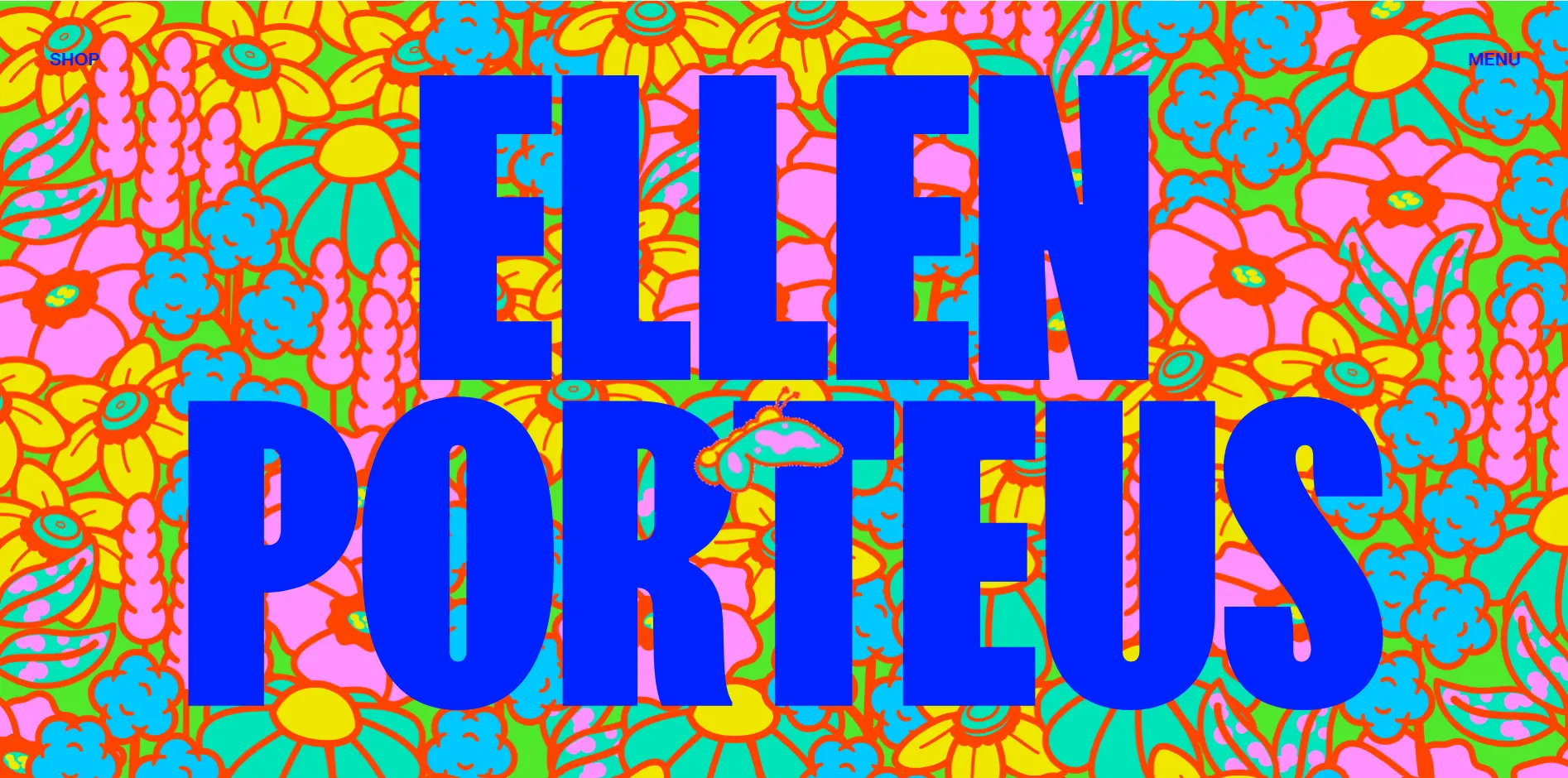
Maximalism is more than just “loud” design—it is an intentional explosion of color, scale, and movement. It is designed to portray a brand’s identity in a way that is unique, slightly absurd, and compelling to watch. This style is perfect for artistic, media-based, or “disruptor” brands that need to make an immediate, massive impact.
Rather than following the “less is more” rule, Maximalism suggests that “more is more.” It creates a visceral experience that keeps users engaged through visual stimulation and bold storytelling.
1. Concept
Aim to fill almost every pixel of white space. Use overlapping elements, large-scale imagery, and bold textures. The goal is to create an “unhashed symphony” of brand assets that feels chaotic yet stays true to a single, powerful vision.
2. Colors
Outlandish & Clashing. Break the traditional color wheel rules. Use vibrant, saturated, or neon hues that intentionally clash to keep the viewer excited. Don’t be afraid to use high-contrast combinations that demand attention.
3. Fonts
Try massive, heavy-weight fonts that take center stage such as Blacker, Syne, or Ultra. Use expressive “Display” fonts or brutalist, stretched typefaces to add character.
4. Implementation
Advanced. This is difficult to execute well. It requires a highly experienced designer to ensure the “mess” feels intentional and not accidental. Technically, it is complex to build because you must ensure the site remains fast and accessible despite the heavy amount of elements.
5. Examples
Ellen Porteus’s Website
Choreus
Pest Stop Boys UK
03. Swiss Web Design
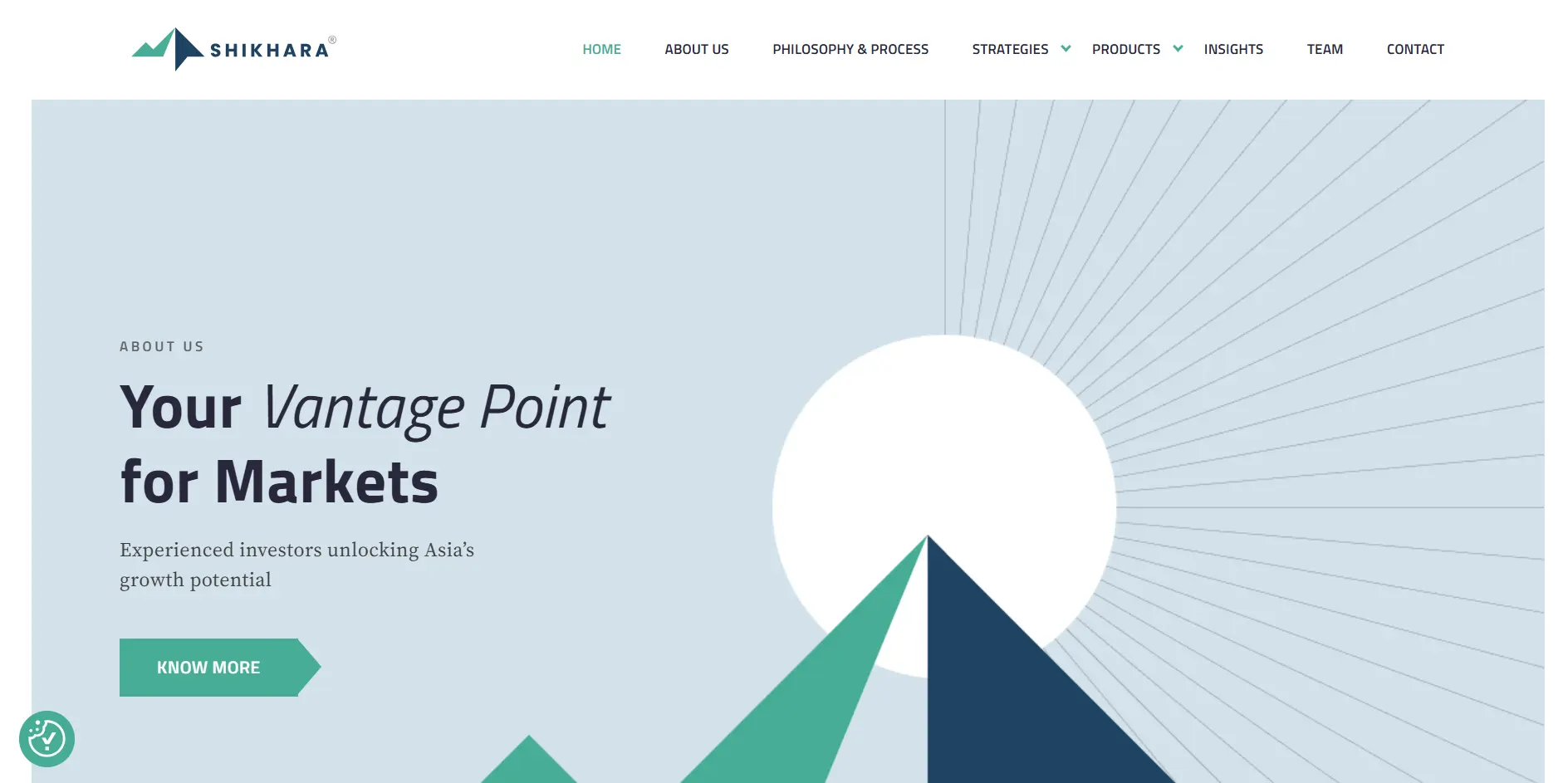
In contrast to Maximalism, Swiss Design emphasizes clarity, readability, and timelessness. While it has been a staple of UX since the 2000s, it has evolved into a modern favorite for brands that want to appear organized, authoritative, and sophisticated.
The core philosophy is function over form. You will rarely see a design element that doesn’t serve a specific purpose. Every component is meticulously placed to deliver a message with precision.
1. Concept
Everything is built on a strict mathematical grid. Focus on “white space” (negative space) to let your content breathe. Be highly intentional with your layout; group relevant information together and use clear paths to guide the user’s eye.
2. Colors
High-Contrast Neutrals. White is typically the predominant background color to keep the look “clinical” and clean. Use a palette of bold, primary accent colors (like red, blue, or dark gray) to highlight key components and Call-to-Actions (CTAs).
3. Fonts
For a classic look, use Helvetica or Akzidenz-Grotesk. For modern web alternatives, pair bold Inter or Montserrat headings with highly readable body fonts like Open Sans or Roboto.
4. Implementation
Medium Difficulty. While the “look” is simple, the execution requires perfection. You need a sharp eye for typography and a disciplined approach to grid layouts.
5. Examples
Swiss Airlines Website
Shikhara Investments
Contrarian Thinking
04. Editorial Web Design
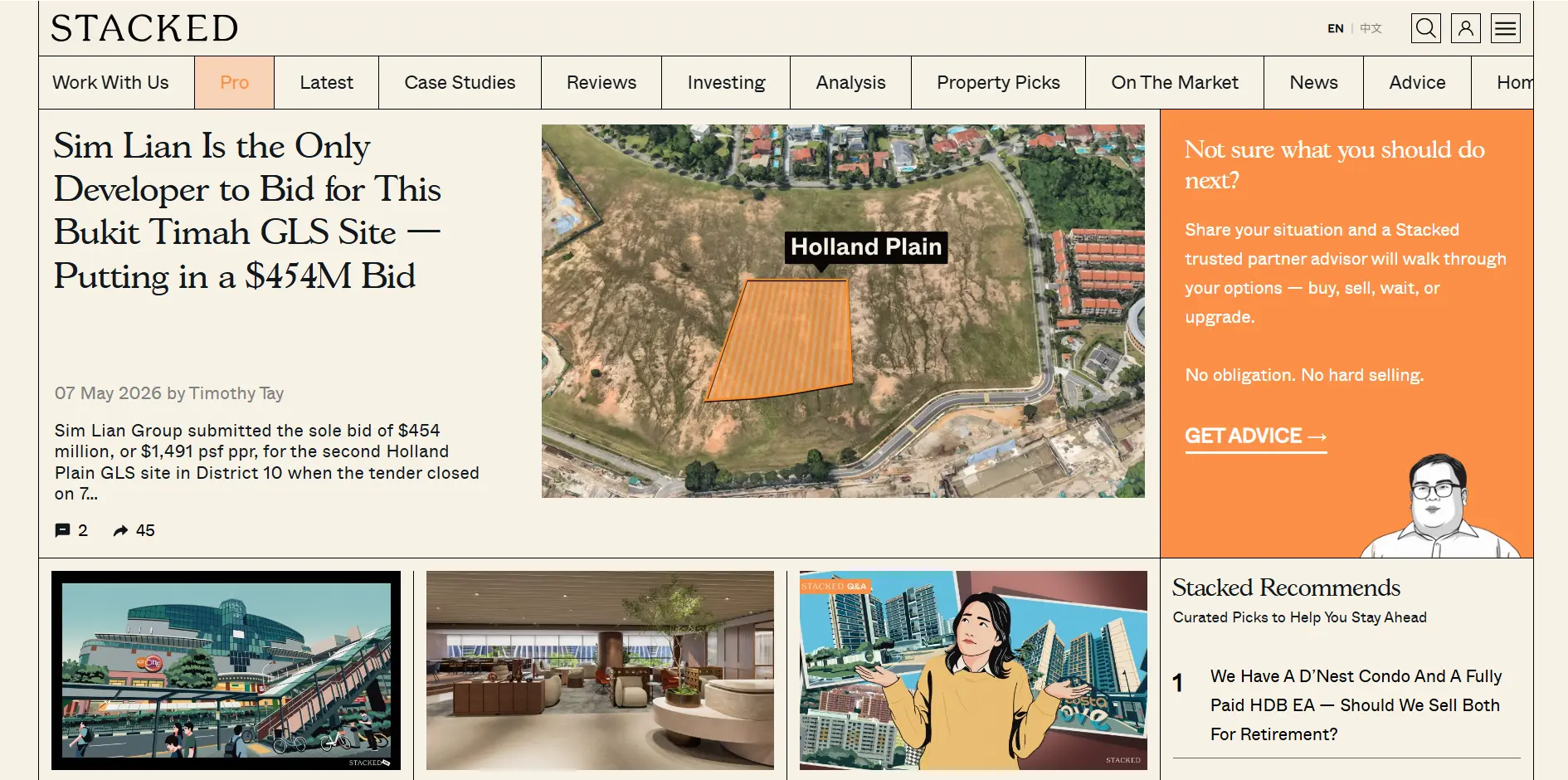
Inspired by iconic publications like Vogue, Elle, and Conde Nast, Editorial design gives “oomph” to content-heavy brands. It’s designed to make readers sit up and take notice, transforming a standard blog or shop into a curated experience.
This style is perfect for lifestyle brands—such as jewelry, architecture, and high fashion—where storytelling is just as important as the product.
The beauty of Editorial design is its ability to present multiple stories or concepts simultaneously without feeling cluttered, leading to much higher engagement rates.
1. Concept
Use masonry grids and asymmetrical layouts to mimic a magazine spread. Use varying text volumes and large, high-quality “hero” imagery to keep the reader scrolling. Incorporate thin black or gray line dividers to segregate sections with a “classy” touch.
2. Colors
High-Fashion Neutrals. Use white, cream, or very light gray backgrounds as your canvas. Pair these with a singular, deep contrast color (like rich black or midnight navy) for text and accents to create a sophisticated, high-end feel.
3. Fonts
Elegant Serifs. Editorial design thrives on Serif fonts for headings to convey authority and luxury. Use typefaces like Playfair Display, Lora, or Bodoni. Pair them with a clean, light Sans-Serif (like Lato or Helvetica) for body text.
4. Implementation
Easy to Medium. Most modern website builders offer masonry grid presets and “magazine” templates, making the technical build relatively easy. The real challenge lies in curation of content—you need high-quality photography and a keen eye for “white space” to make it look expensive.
5. Examples
Vogue
Conde Nast Traveller
Stacked Homes
05. Brutalist Web Design
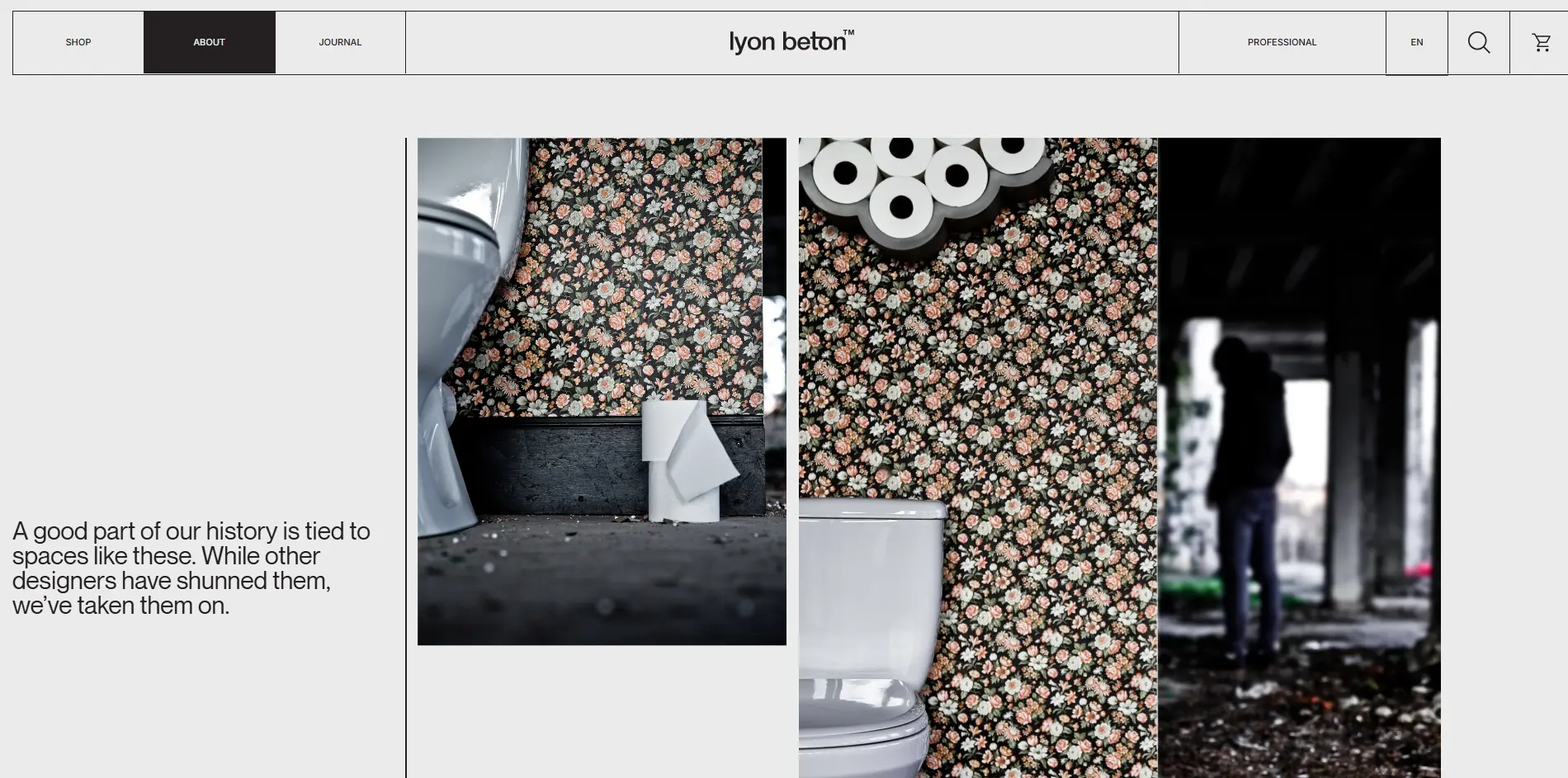
Brutalism is a raw, severe style of web design that focuses on showing concepts and images in their most unpolished state. This style is frequently used by gritty, artistic, or architectural brands that want to make a lasting mental impact by stripping away the polish of modern websites.
Brutalism is visceral; by presenting objects and spaces as they truly are, the design takes the reader on an emotional journey that feels honest, provocative, and entirely unique.
1. Concept
In Brutalism, the imagery is the star. Use thought-provoking, high-contrast, or “raw” media assets that force the reader to pause and reflect. The layout often ignores traditional “beauty” standards, opting instead for bold lines, exposed borders, and a rugged structure.
2. Colors
Monochromatic or Stark. Typically, a strictly dark or light theme is chosen as the canvas. Vibrant colors are rarely used for UI elements; instead, they are reserved for the photography itself to make the images “pierce” through the minimalist background.
3. Fonts
Use “System” fonts or heavy, monospaced typefaces that look like code or typewriter print. IBM Plex Mono, Courier, or Roboto Mono are perfect for this style. For headings, use thick, bold fonts like Impact or Archive.
4. Implementation
Easy. Technically, this is very straightforward because it avoids complex animations and “pretty” decorations. However, it is content-dependent: the design only works if you have powerful, high-quality media assets that can carry its weight.
5. Examples
Lyon Beton
PW Magazine
Whitney Museum of American Art
06. Retro / Y2K Web Design
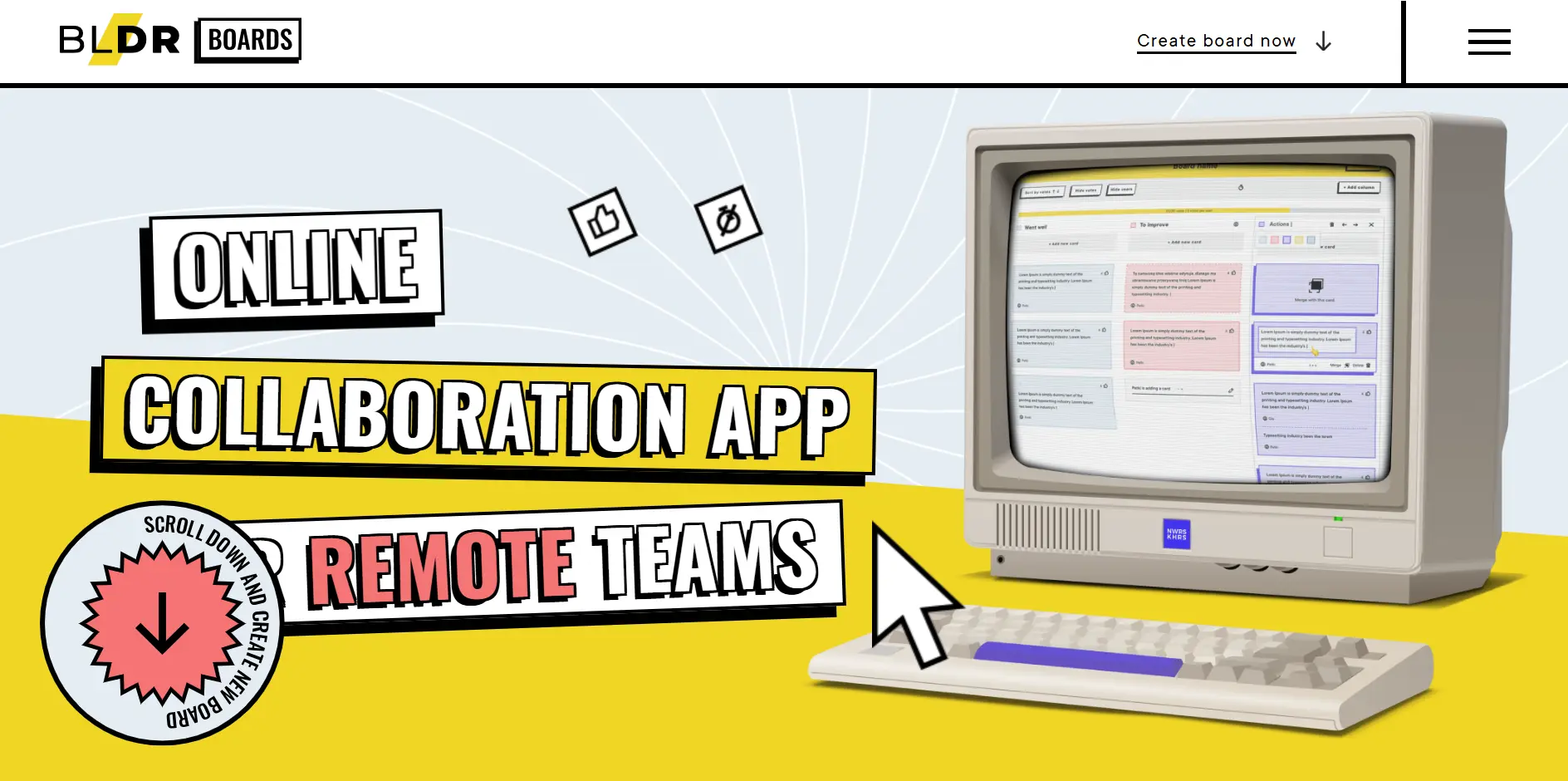
A playful spin on the digital experience, Retro web design taps into colorful, bold components to captivate users through nostalgia. Drawing inspiration from the early 2000s internet, this style uses “lo-fi” elements like caricatures, pixel art, and chunky gradients to create a sense of fun and familiarity.
While it’s a bold departure from “corporate” design, it’s an incredibly effective way for brands to stand out, especially those dealing in heritage products, streetwear, or creative tech.
1. Concept
Old-School Cool. Combine early-web elements like marquee text, digital stickers, and hover animations with modern usability. The layout should feel slightly “off” or experimental, mimicking the era before websites became standardized.
2. Colors
Use bright, high-energy colors (like bubblegum pink or electric blue) contrasted against stark white or “greasy” tech-blacks. Gradients are a must here—think iridescent or metallic finishes that mimic old CD-ROMs.
3. Fonts
Retro-Digital. Use “pixel” fonts or bubbly, rounded typefaces reminiscent of early 2000s branding. Modak, Bauhaus 93, or VT323 (Pixel Font) are perfect. For body text, stick to something clean but quirky like Space Mono.
4. Implementation
Difficult. This style is deceptively hard to build. It requires a lot of “design foresight” to keep it looking intentional rather than messy. You’ll need custom CSS for unique borders, shadows, and animations. Using a website builder with a specific “Retro” template is a good shortcut.
5. Examples
Abba’s website by Tilda
Lost in Space
Boldare Boards
07. Flat Web Design
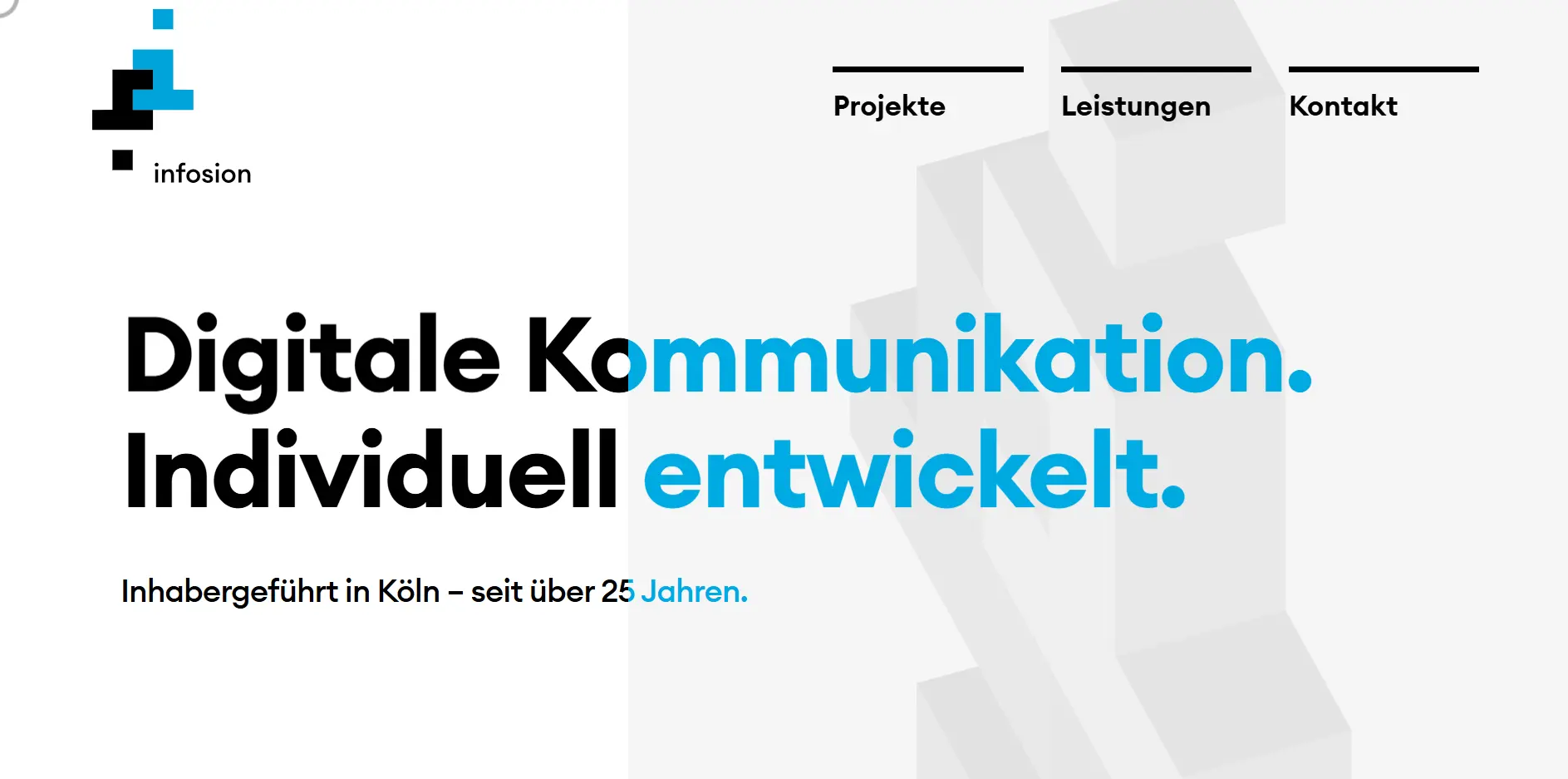
As the name suggests, Flat Design relies on 2D layers and clean, high-contrast elements to communicate with “crystal clear” efficiency. By stripping away 3D effects like shadows, bevels, and gradients, this style uses straight lines and purposeful spacing to create a look that is both attractive and incredibly easy to read.
Flat design is one of the most versatile concepts available, capable of adapting to almost any brand. When executed with a keen eye, it results in a website that is professional, fast, and highly memorable.
1. Concept
Functional Simplicity. Focus on “less is more.” Use 2D shapes and clear visual hierarchies to guide the user. The goal is to remove any “visual noise” so the brand’s message can take center stage without distraction.
2. Colors
Solid & Reliable. Stick to a foundational palette of white, black, and your primary brand colors. In flat design, color is a tool used to define different sections and call attention to buttons without needing artificial depth.
3. Fonts
Use highly legible fonts like Open Sans, Lato, or Montserrat for this style. For a more unique or modern approach, try Poppins for headers paired with Inter for body text.
4. Implementation
Fast & Efficient. This is one of the easiest and fastest concepts to implement. Because it avoids complex graphics and depth-heavy CSS, it results in lightning-fast load times and inherent mobile responsiveness.
5. Examples
Infosion
LEEA
Boutique Hotels
08. 3D & Animation Web Design
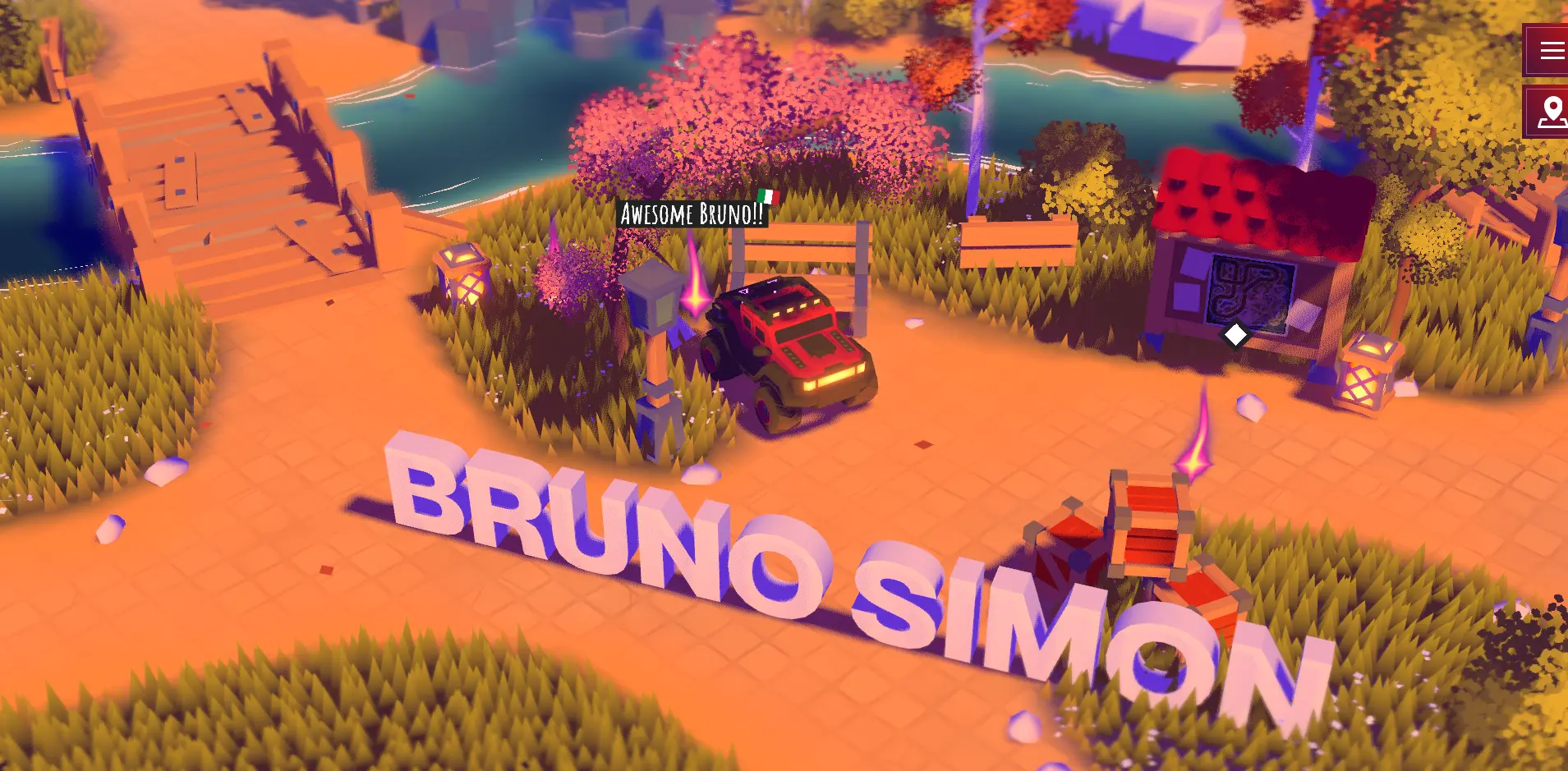
Arguably the frontier of modern web development, this style relies on immersive 3D models and motion-heavy sequences to tell a brand’s story. By transforming a static page into an interactive environment, it achieves massive engagement rates that keep users occupied far longer than a traditional layout.
Behind the scenes, this style pushes the limits of the browser, utilizing powerful engines to render depth and movement in real-time. Less of a website and more of a digital experience.
This is also where a CDN like Quic Cloud for WordPress might help: speeding up page load times for your users & boosting the user experience.
1. Concept
Immersive Storytelling. Unlike standard sites where navigation is “free and easy,” 3D sites are often linear and narrative-driven. The user is guided through a specific journey, where scrolling or clicking triggers animations that reveal the brand’s message.
2. Colors
Atmospheric & Dynamic. There is no set palette, but colors are often used to define the “lighting” of the 3D space. Many designers use deep gradients or dark backgrounds to make the 3D models feel more prominent and realistic.
3. Fonts
Because the 3D elements are so visually heavy, the typography should be clean so it doesn’t compete for attention. Geometric Sans-Serifs like Space Grotesk, Michroma, or Inter work well to maintain a polished vibe.
4. Implementation
Expert Level. This is the most difficult concept to execute. It requires a “triple threat” of skills: 3D modeling, creative direction, and advanced coding. You’ll need a developer proficient in libraries like Three.js, Spline, or Babylon.js to ensure the site runs smoothly without crashing the user’s browser.
5. Examples
8bit.AI
KPR Verse
Bruno Simmons Portfolio
09. Immersive Web Design
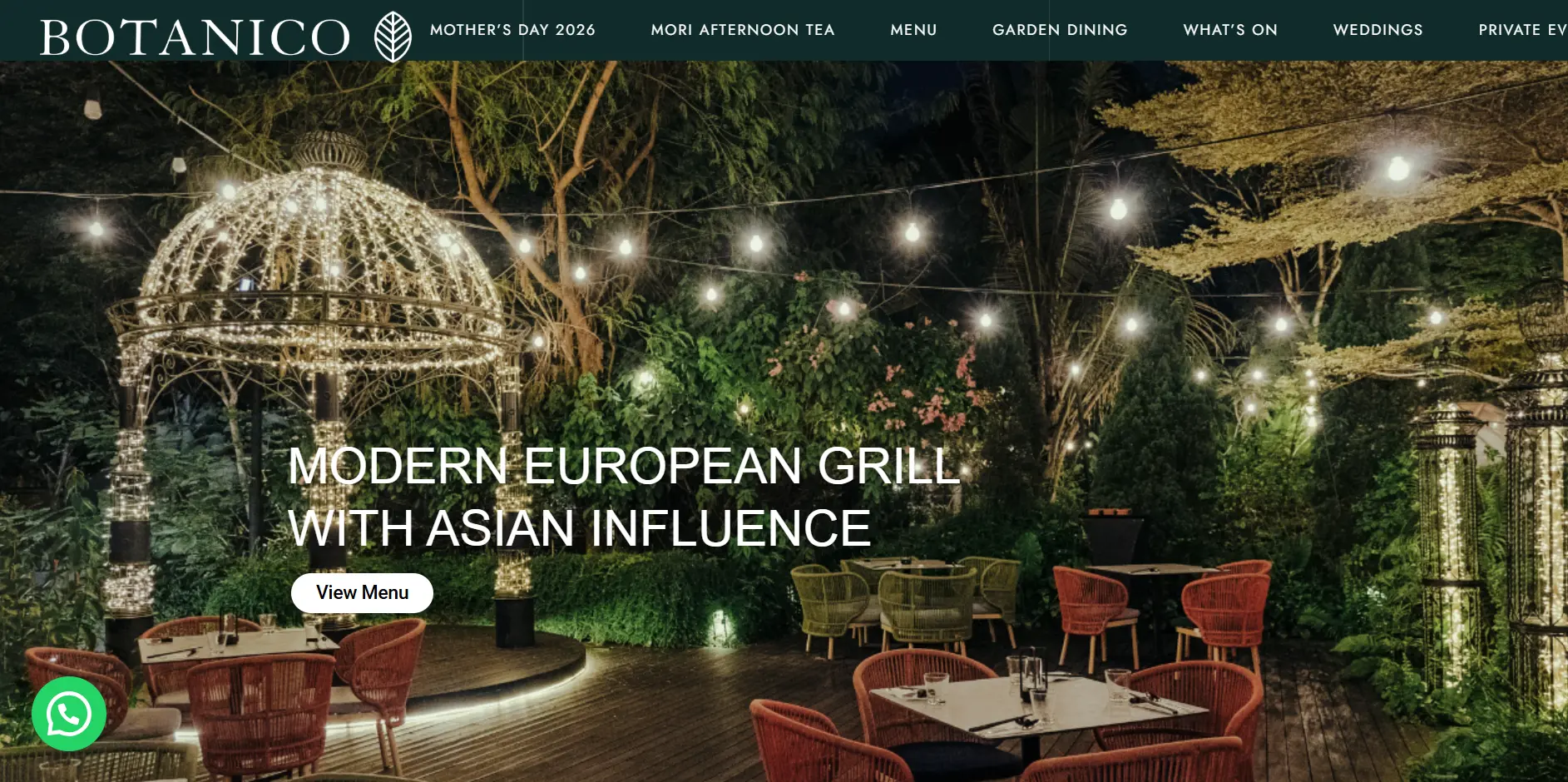
Immersive websites are all about ambience. Whether showcasing a luxury hotel, a fine-dining restaurant, or an in-person event, this style allows potential customers to “sense” your brand before they even arrive.
By using expansive, edge-to-edge imagery and cinematic layouts, immersive design acts as a digital front door that invites users to step inside your world.
This concept is a “hidden talent” in web design—it doesn’t rely on flashy tricks, but rather on the emotional power of high-quality visuals to build an immediate connection.
1. Concept
Think of your website as a physical tour. The landing page is your grand lobby, and each scroll or click segues into a different “room” or chapter of your story. The goal is to create a seamless flow that guides the user through the physical and emotional atmosphere of your brand.
2. Colors
Image-Led Palettes. There are no fixed colors, but the background and UI should remain secondary to the photography. Use muted neutrals or transparent overlays that complement your imagery.
3. Fonts
Sophisticated & Atmospheric. Choose fonts that match the “vibe” of your industry. For luxury hospitality, use elegant Serifs like Cormorant Garamond. For modern spaces, use wide Sans-Serifs like Montserrat or Tenor Sans.
4. Implementation
Relatively Easy. Technically, this is straightforward to build, as it relies on standard full-screen layouts. The real “technical” challenge is Asset Quality. To pull this off, you need professional-grade photography and optimized media to ensure those large images load instantly without slowing down the site.
5. Examples
Kyoto Kokedera Temple
Botanico Restaurant
On the Square
10. Anime Web Design
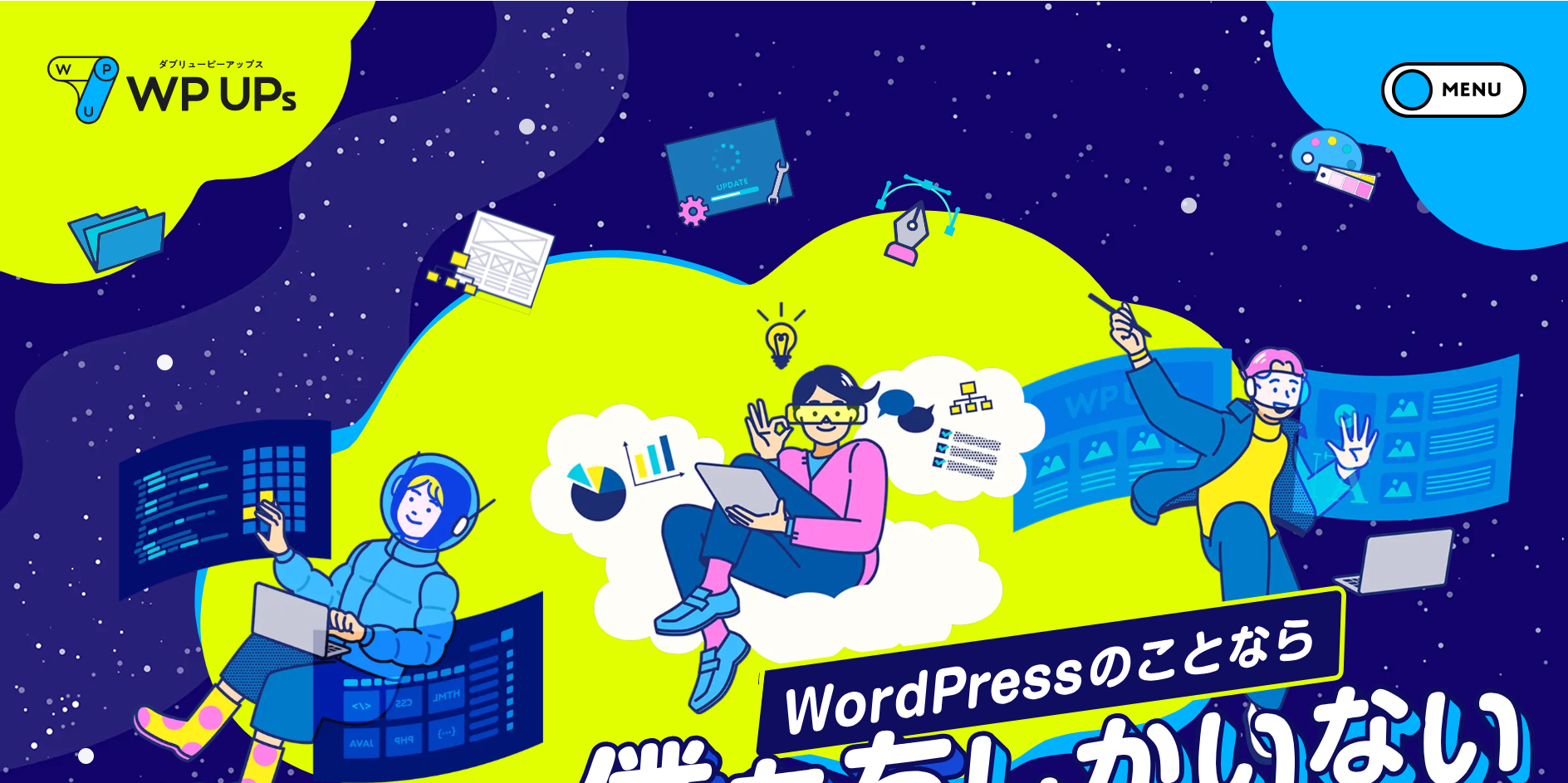
Anime-inspired web design uses Japanese illustration styles to drive everything from the layout components to the interactive details. Whether it follows the aesthetic of a legendary series or creates an entirely new “Neo-Tokyo” vibe, this style is incredibly popular for gaming, streetwear, and creative tech brands.
When combined with modern animation libraries, these websites feel like a living comic book—vibrant, high-energy, and deeply immersive.
1. Concept
An effective anime-style site relies on high-quality character art and environmental graphics. Instead of static sections, use “parallax” scrolling or “sprite” animations to make characters feel like they are moving through the page. The goal is to blend narrative illustration with functional UI.
2. Colors
Thematic & Saturated. Colors set the emotional stage. For an “Action” feel, use high-contrast neons (Cyan, Magenta) against dark backgrounds. For a “Slice of Life” vibe, use soft, warm pastels and bright sky-blues. The palette should mirror the “genre” of the artwork.
3. Fonts
Bold & Stylized. Typography should be as expressive as the art. Use heavy, high-impact fonts like Bangers, Luckiest Guy, or Archivo Black for headings to mimic manga sound effects. For a “Cyberpunk” anime look, use sharp, monospaced fonts like JetBrains Mono.
4. Implementation
Hard. This requires a rare combination of skills: professional illustration and advanced frontend development. You need a designer who can conceptualize the “flow” of the art and a developer who can handle complex CSS animations or Lottie files to ensure the graphics don’t slow down the site.
5. Examples
WP UPs Agency Website
Nekozen World
Kokuyo 120th Anniversary Message
11. Minimalist Web Design
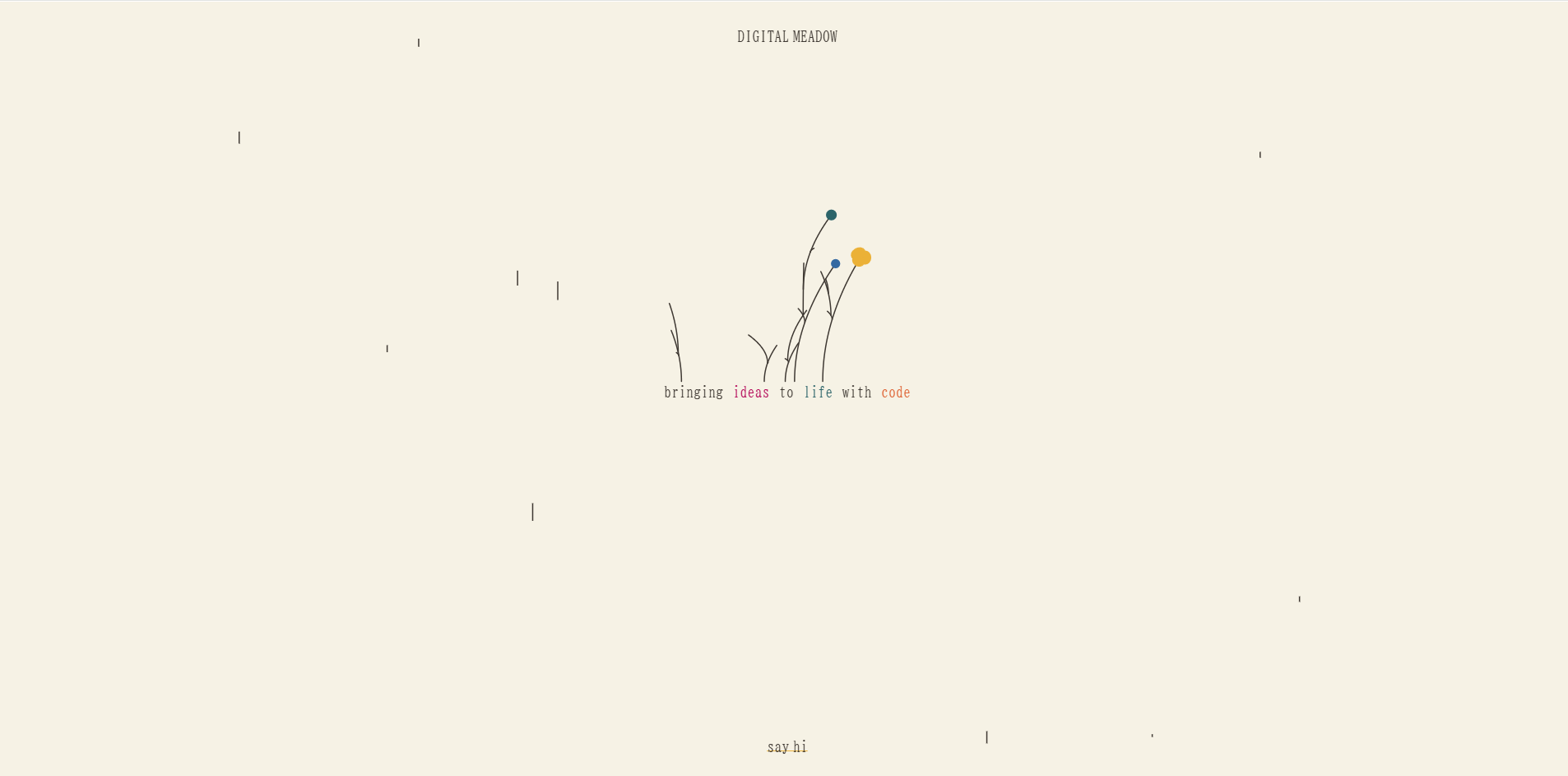
Minimalism is the art of “less.” By removing superfluous elements that don’t serve a direct purpose, this style creates a focused, high-end experience. While it may seem simple, its “single-mindedness” is exactly what makes it so intriguing—it forces the reader to pay full attention to the few elements that remain on the screen.
A minimalist approach isn’t just about having fewer words; it’s about embracing a stripped-back, inconspicuous aesthetic that pulls the reader in through its nonchalance, clarity and calm.
1. Concept
Negative Space Mastery. Whitespace is your most powerful tool. Use it to isolate key messages and images, guiding the user’s eye exactly where you want it. Every element must be positioned with intention; if a component doesn’t add value, it’s removed.
2. Colors
Monochromatic & Subtle. White or light-colored backgrounds are the gold standard for this look. Pair them with black or deep charcoal text for a “sublime” and timeless aesthetic. You can also play with subtle tonal shifts—like off-white or eggshell—to add depth without adding “noise.”
3. Fonts
Use clean, understated fonts that are easy to read, such as Inter, Lato, or Helvetica. If you want a touch more “flare” or a high-end feel, use a sophisticated Serif like Playfair Display for headings to create a needed contrast.
4. Implementation
Medium (Precision-Focused). This is a rare case where the technical build is easy, but the conceptualization is the real challenge. With so few elements, there is nowhere to hide; if your concept or spacing is off by even a few pixels, the design will feel “unbalanced.”
5. Examples
arkitektkontoretvest
Digital Meadow Studio
The Way of Code
12. Hero Web Design
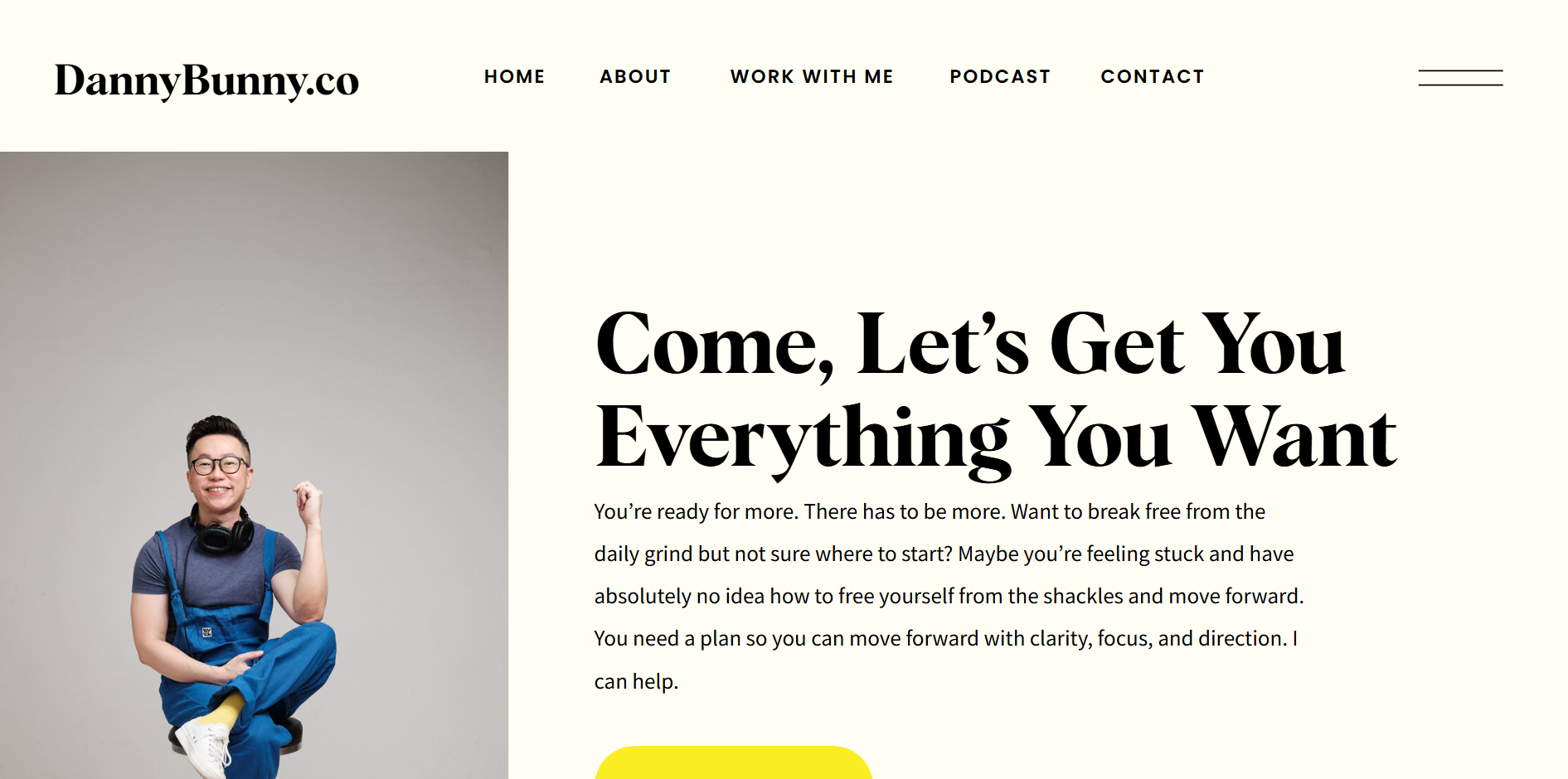
Unlike standard layouts that focus on products, Hero Web design is built entirely around a single individual. This style is an individualistic approach that uses large-scale portraits, bold personal statements, and minimalist backgrounds to put a human face at the heart of the brand.
It is the perfect choice for solopreneurs, consultants, or creators who want to exemplify their character and share their unique perspectives in a way that feels intimate and authentic.
1. Concept
Personal Authority. This design is more than a list of services; it is a biography in digital form. The layout should focus on the “Main Character”—their beliefs, their story, and their mission. By giving the individual “depth,” you elevate their standing and build immediate trust with the reader.
2. Colors
Laid-Back & Supportive. Use a palette that complements the individual’s photography. Typically, you want more neutral or somewhat reserved tones for the background so that the person in the portrait can be the high-contrast focal point.
3. Fonts
Identity-Driven. The typography should reflect the person’s professional “voice.” A bold Sans-Serif (like Montserrat) conveys modern energy, while a classic Serif (like Playfair Display or Lora) suggests wisdom and high-end expertise. Choose a font that matches the vibe you want to carry.
4. Implementation
Easy. This is one of the most accessible styles to build. Most website builders offer “Personal Portfolio” or “Speaker” templates that are designed specifically for this.
5. Examples
Danny Bunny
Raquel Lara
Mary Taylor & Associates
13. SaaS Web Design
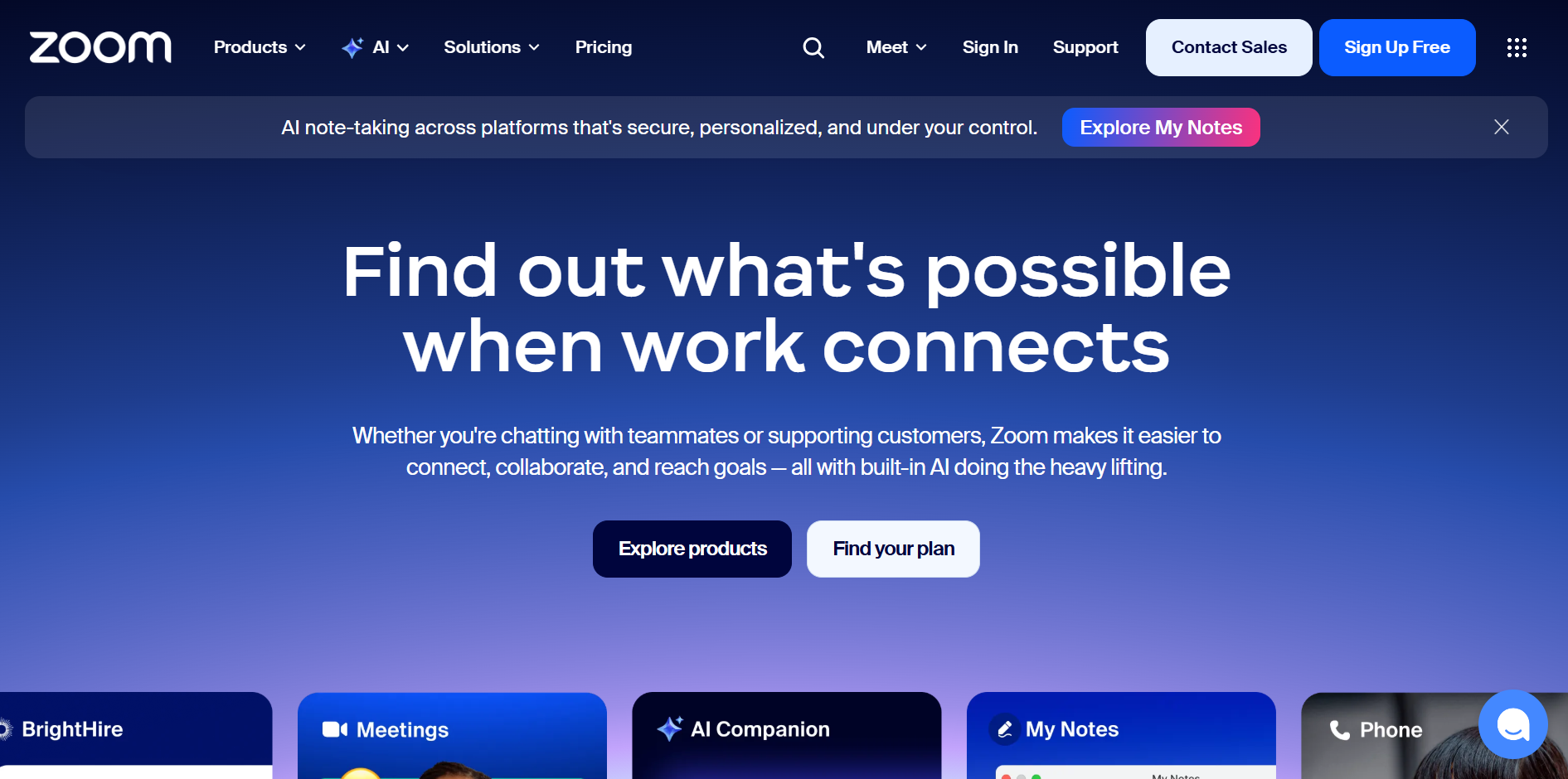
If you look at the top tech companies today, you’ll see this aesthetic everywhere: bold primary colors, friendly rounded edges, comparison tables, and a high volume of custom illustrations. In the SaaS world, there is always “a lot happening” on the screen because the competition is fierce.
SaaS design isn’t just about looking “techy”—it’s about performance. Every element is engineered to move a user through a funnel, using high-energy visuals to keep them engaged while clearly explaining complex software features.
1. Concept
Very conversion-centric. The main goal is to turn a visitor into a lead. Use “Feature Blocks” to explain what the software does and “Comparison Tables” to show why it’s better than the rest. The layout is often fast-paced, using icons and micro-interactions to make data-heavy information feel light and easy to digest.
2. Colors
High-Energy Palettes. SaaS sites frequently use bold, “electric” colors (like vibrant blues, purples, or greens) set against a stark white or deep “tech-black” background.
3. Fonts
The Tech Standard. Clean, geometric Sans-Serifs are the rule here. Inter and Poppins are the industry favorites because they look great at any size—from massive headlines to tiny table data, all while conveying a sense of modern reliability and speed.
4. Implementation
Medium. While the layout follows a familiar structure, the difficulty lies in the Information Architecture. You have to balance a lot of content—pricing, testimonials, features, and FAQs—without cluttering the UI. It requires a designer who understands user flows and conversion rate optimization (CRO).
5. Examples
Zoom’s Website
Rippling for HR
Lusha
14. AI Web Design
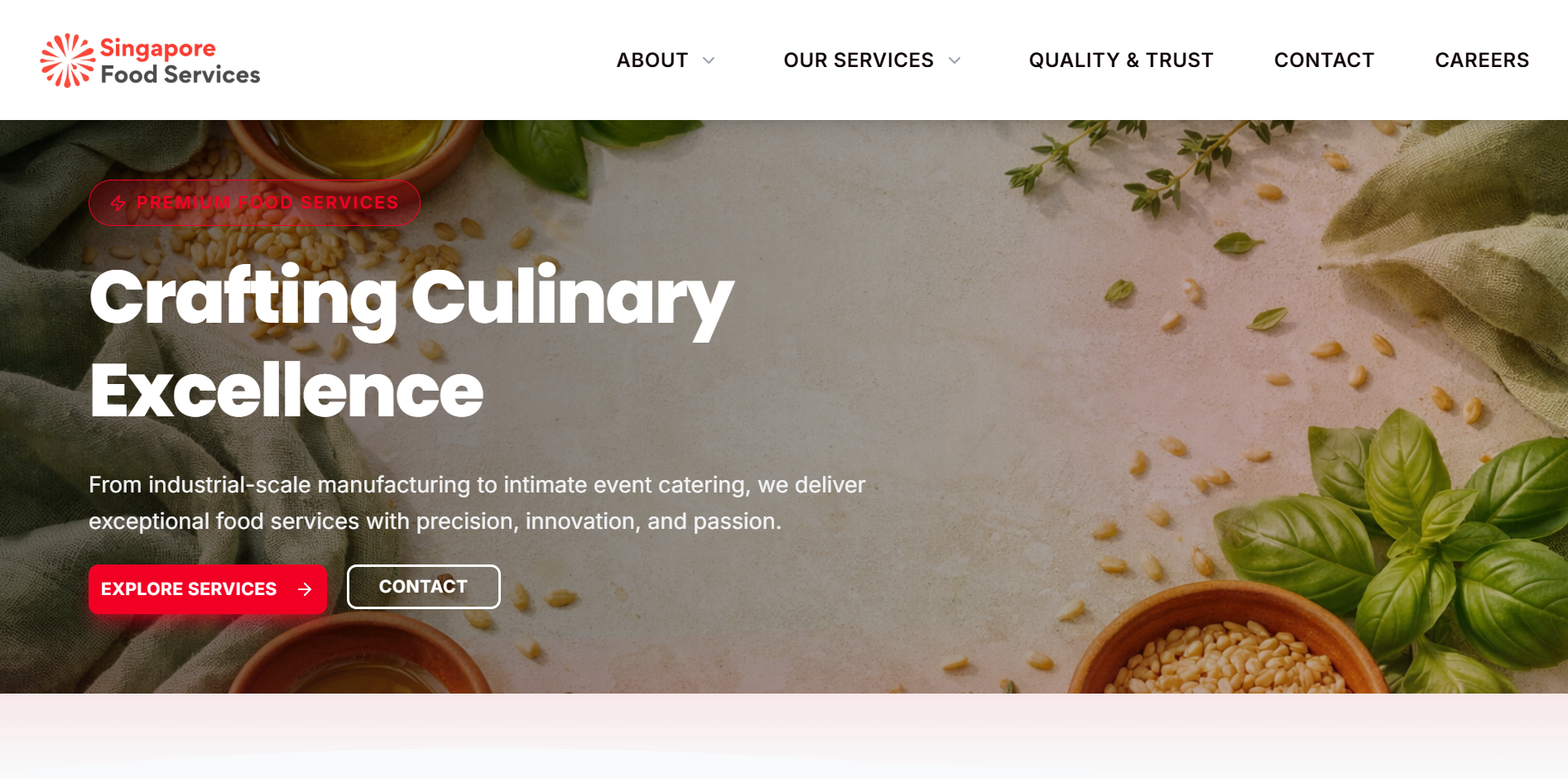
The newest frontier is AI-generated design. These are websites drafted and built almost entirely by AI engines like Lovable, Claude, and Manus. Because these tools optimize for speed and structural logic, AI-generated sites tend to follow a predictable, “clean” aesthetic that prioritizes quick deployment over artistic experimentation.
While this style may not always be the most “memorable” or unique, it is incredibly efficient and requires almost zero technical knowledge—making it a powerful tool for rapid prototyping and MVP launches.
1. Concept
The design concept is built around standardized “best practices.” AI usually sticks to a logical flow: hero section, features, social proof, and a CTA. It uses a “Lego-block” philosophy where every section is perfectly aligned and mathematically balanced, even if it lacks a “human” artistic touch.
2. Colors
High-Contrast Basics. AI typically favors “safe” color palettes that ensure readability. Expect standard brand colors (like royal blue, forest green, or charcoal) that contrast sharply against white backgrounds. Subtle gradients are often used to add a touch of modern “polish” without being too bold.
3. Fonts
Standardized Sans-Serifs. AI engines almost always default to the most reliable, web-safe fonts. Inter, Roboto, and System UI are the most common choices.
4. Implementation
Super Easy. This is the fastest implementation on the entire list. There is no manual coding or deep conceptualization required; the user simply provides a prompt, and the AI handles the layout, spacing, and mobile responsiveness. It is the ultimate “zero-to-one” design tool.
Conclusion
In a modern digital landscape where consumer tastes are constantly evolving, these 14 design concepts form the essential toolkit for every professional web developer.
By understanding the strengths and weaknesses of each style, you move beyond just “building websites” and start crafting strategic digital experiences. Be well-prepared to take on any project brief a client throws your way with confidence and creative foresight.
Summary
You can use specific AI tools such as Claude Design. If you’re open to learning about web design, you may also want to pick up some common terminology to be able to use to describe the features you want.
Thankfully yes. You may wish to use tools like Astra or Elementor to do up your website, or try more advanced tools such as Bricks Builder which is what we use at dantiv.
When you know you need a website that actually converts & can generate leads. As a web development agency, we have both the design, UX expertise & technical know-how to execute a good website that fits your brand & converts. And we do it fast as well.
Yes, at dantiv, we are the leading web design & development agency which specializes in designing intentional & high performing websites that elevate your brand. We’re focused on serving SMEs and deliver websites & eCommerce stores that are highly performant & long-lasting.