GROW Series Part 3: Customer Market Segmentation with Omnisend for eCommerce
Customer Market Segmentation is an important aspect of eCommerce that allows you to use automation to target specific customers for sales & marketing actions.
With Omnisend’s email marketing platform, you can easily configure it to segment & target for client segmentation.
For you to achieve customer segmentation marketing, please refer to the post below.
How does Omnisend decide Customer Segments?
Let’s first cover how Omnisend determines segmentation for your customer base:
| Lifecycle Stage | Description | Our Suggestions |
|---|---|---|
| Recent Customers | Customers who have made 1 or 2 purchases and have done that relatively recently. | Build engagement by letting them know about up & cross-sells, & any loyalty programs you have. |
| Loyalists | Customers who have made more than 2 purchases and have done that relatively recently. | Continue to keep them engaged with special offers, can look at giving referrals tools as well. |
| Champions | Customers who have made more than 2 purchases and have done that relatively recently. These customers’ order value is relatively high. | These are your VIP customers – make sure they feel loved and rewarded with exclusive offers & campaigns. |
| Need nurturing | Customers who have made 1 or 2 purchases and have done that further in the past than Recent customers. | Try to engage them to move to a higher tier with brand updates & discount codes. |
| High potential | Customers who made more than 2 purchases or 2 purchases for relatively high order value and have done that further in the past than Loyalists and Champions. | Same as above. Consider to prioritize this group as they have more tendency to spend. |
| At risk | Customers who have made 1 or 2 purchases and have done that further in the past than those customers who need nurturing. | Consider to launch a re-activation campaign to get purchases again. Use codes or stay top-of-mind with brand updates. |
| Can’t lose | Customers who made more than 2 purchases or 2 purchases for relatively high order value and have done that further in the past than High potential customers. | Need to attempt to re-engage in order to win them back. Use your best triggers to make it happen. |
| About to lose | Customers who made their last purchase a very long time ago. | Likely no longer have intention to buy. Brand updates from time to time as efficiency. |
How to achieve Customer Segmentation for eCommerce
With Omnisend, you can setup customer segmentation for your eComm business pretty easily. Let’s discuss a few time-tested strategies below, as well as how to set them up.
Check out our previous article if you haven’t set up Omnisend yet. : How to setup Omnisend for eCommerce
1. Use a Omnisend form with Tags to segment new subscribers:
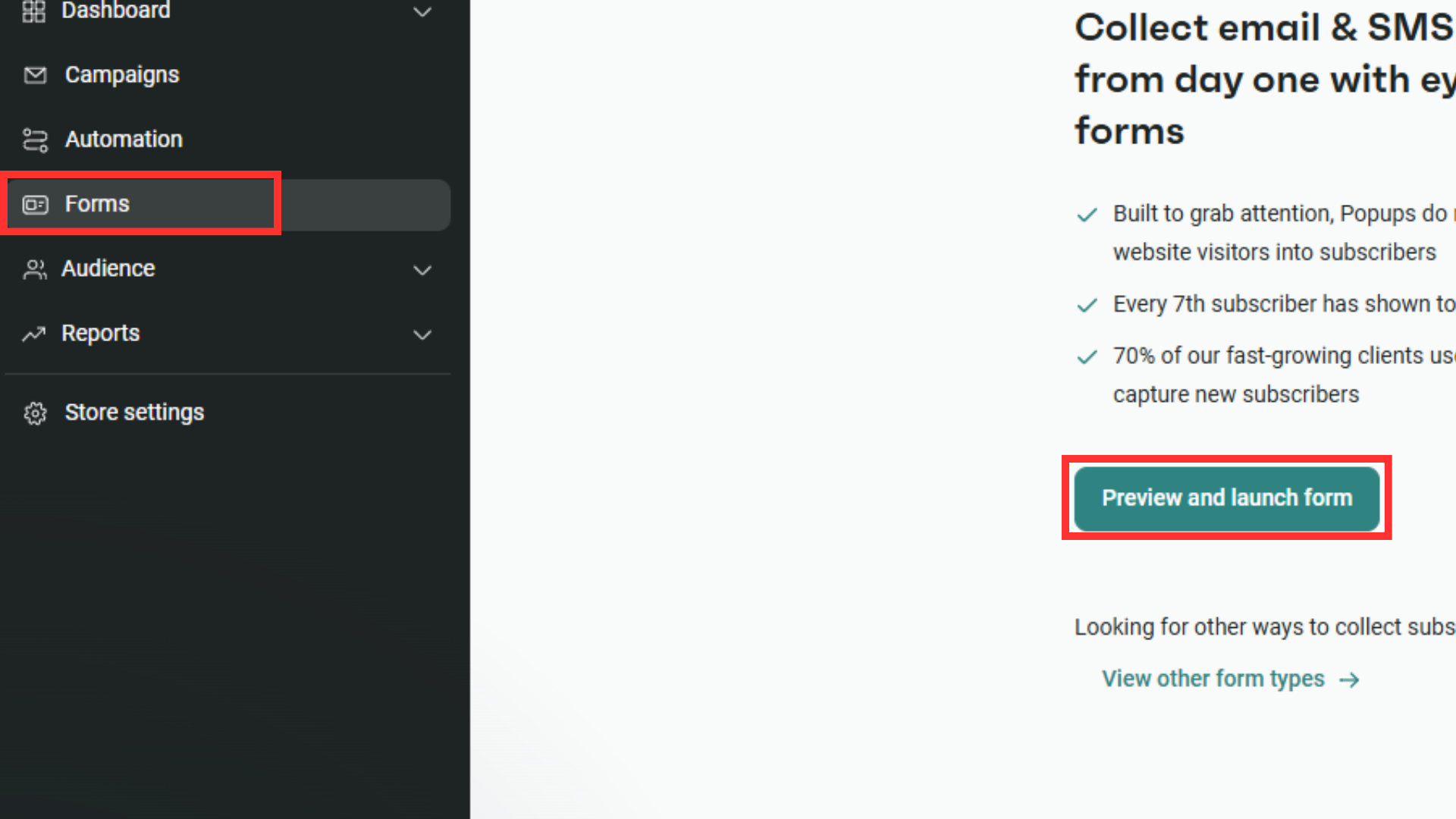
Starting with the basics, let’s setup a new Omnisend form with tags to consolidate new subscribers. Head to “Forms” then “Preview & Launch forms”.
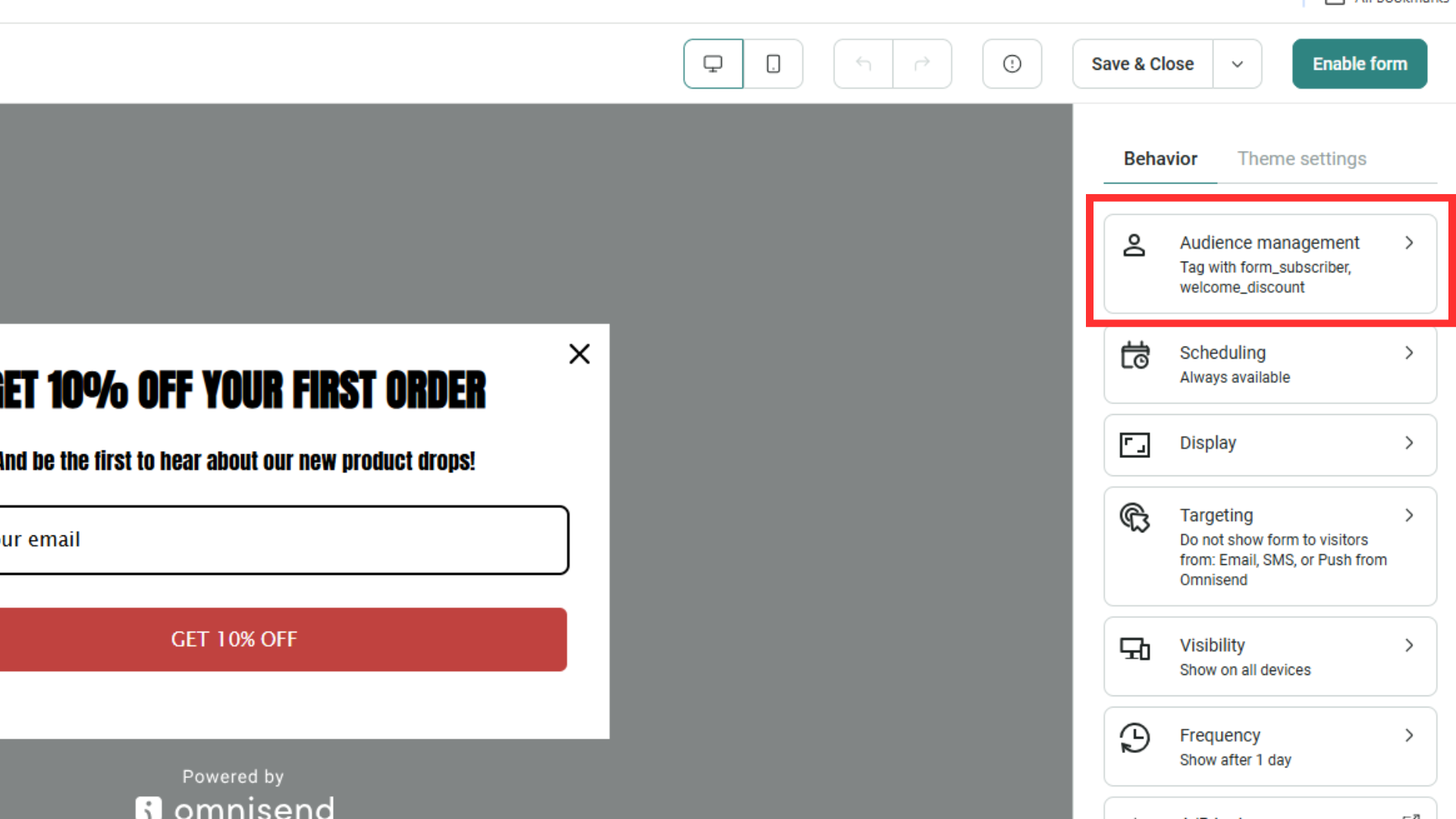
You’ll see the “Audience Management” button in the top right. Click on that.
Once clicked, you will be able to select the tags to associate this form with. You can also create new tags like in the screenshot below:
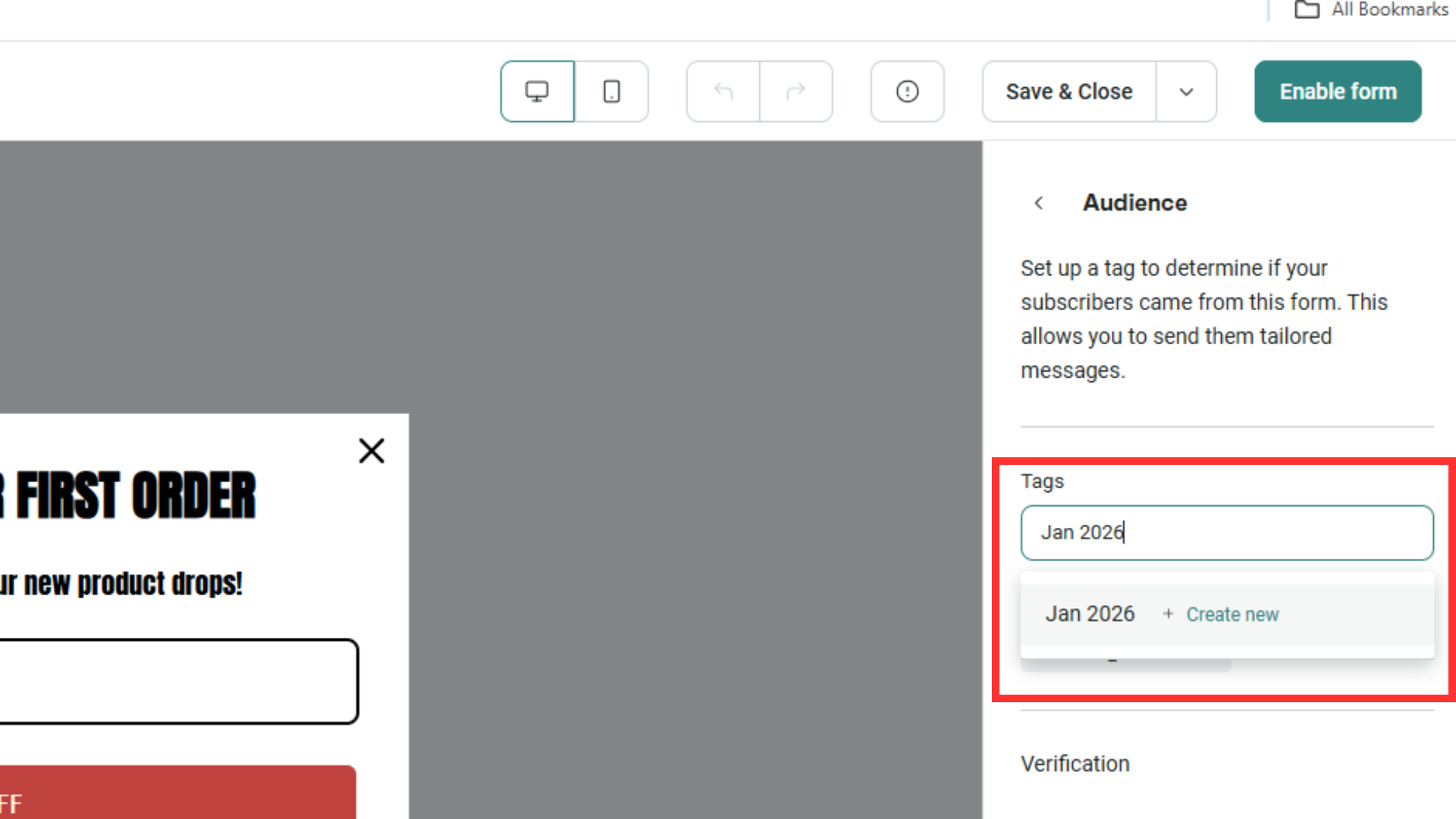
After saving, the new tag will be clipped on new subscribers to this form, & also be available for segmentation workflows!
2. How to segment customers that abandoned cart:
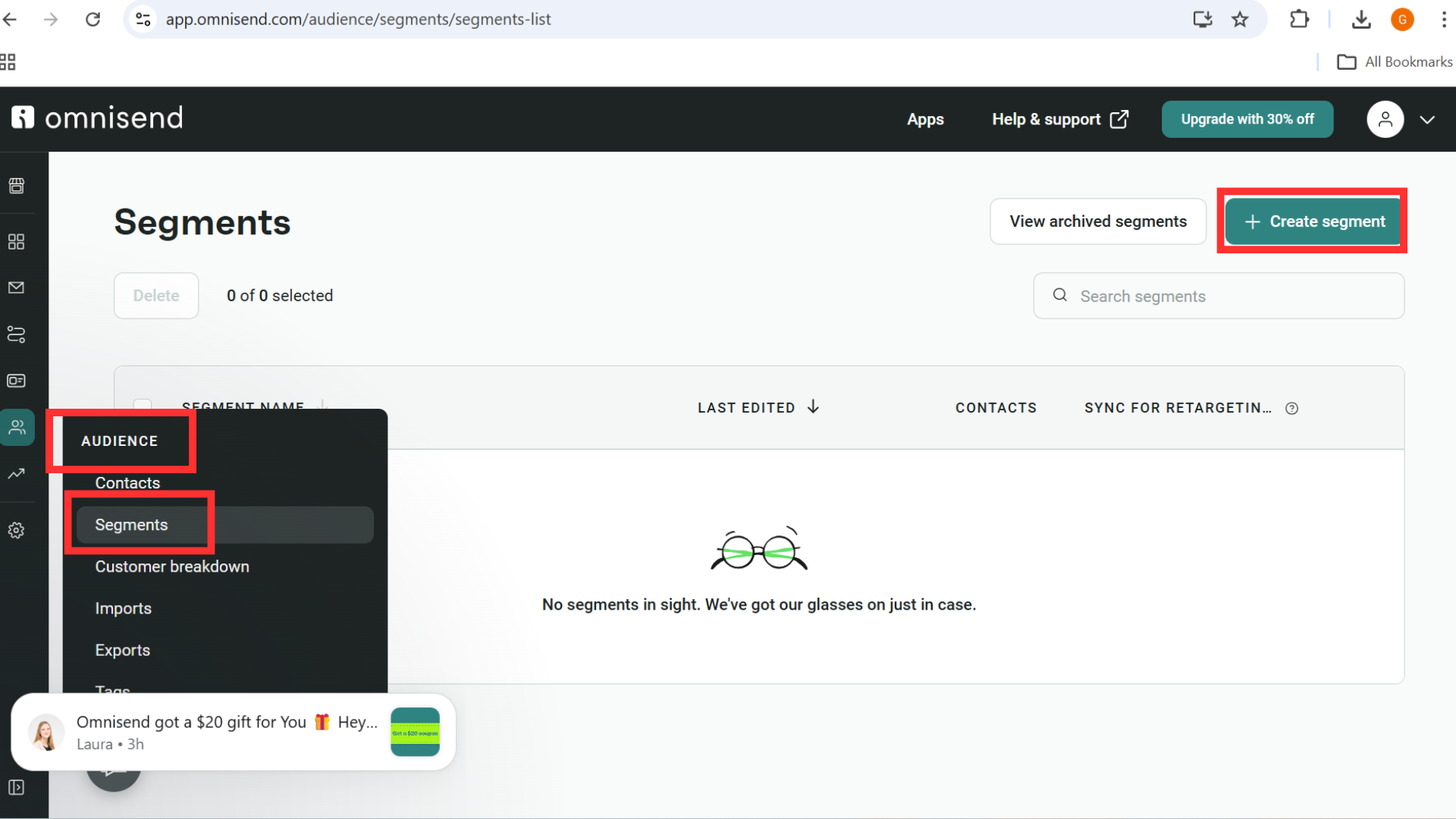
To do this, let’s head to “Audience”, “Segments”, then “Create Segment”.
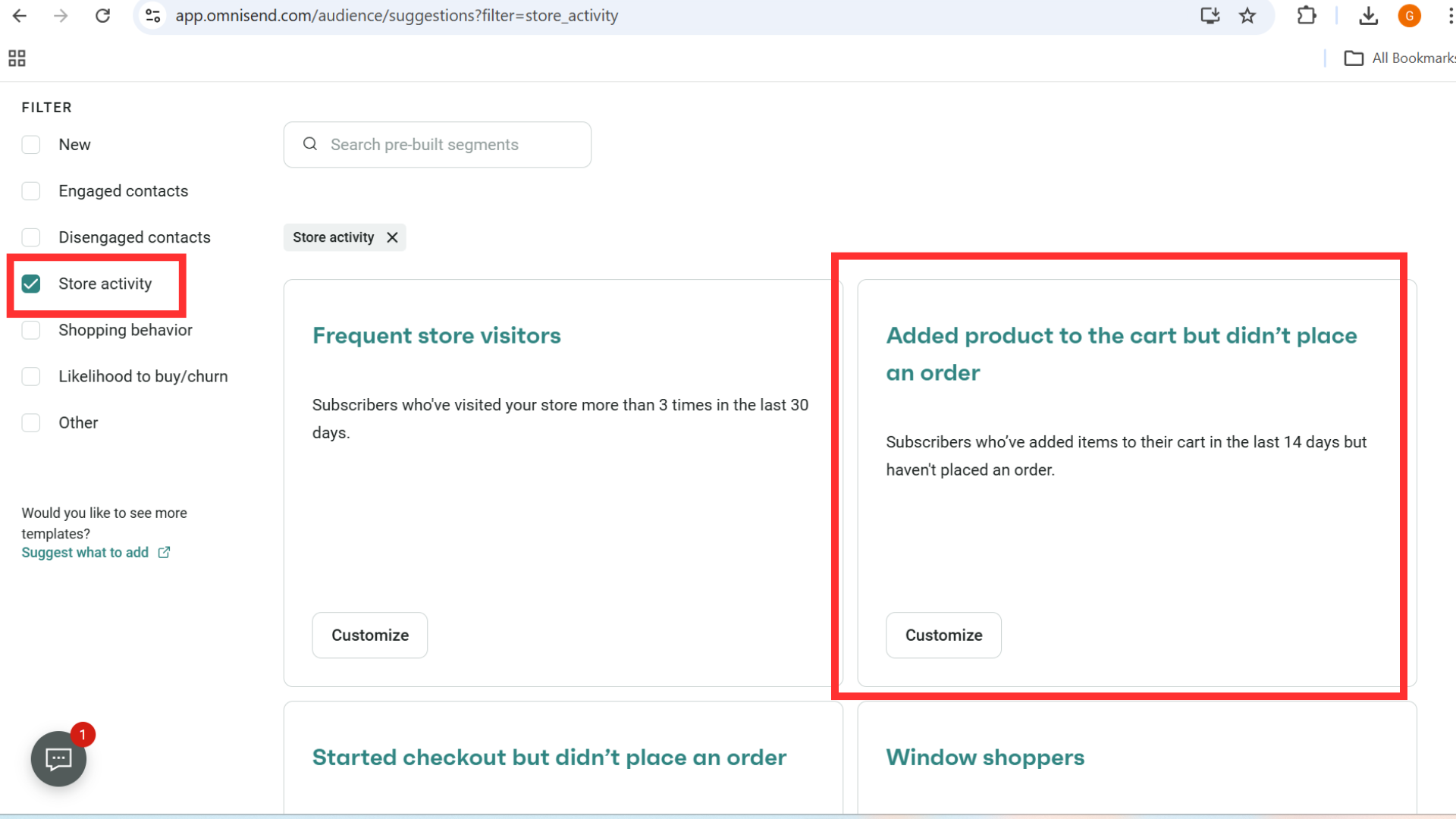
We can use a template for this, filter templates by “Store activity” then use the “Added product to cart but didn’t place an order” template.
Once the template loads, you can see all the fields are already configured. You can change them later if you need. For now, let’s “Save & show contacts”
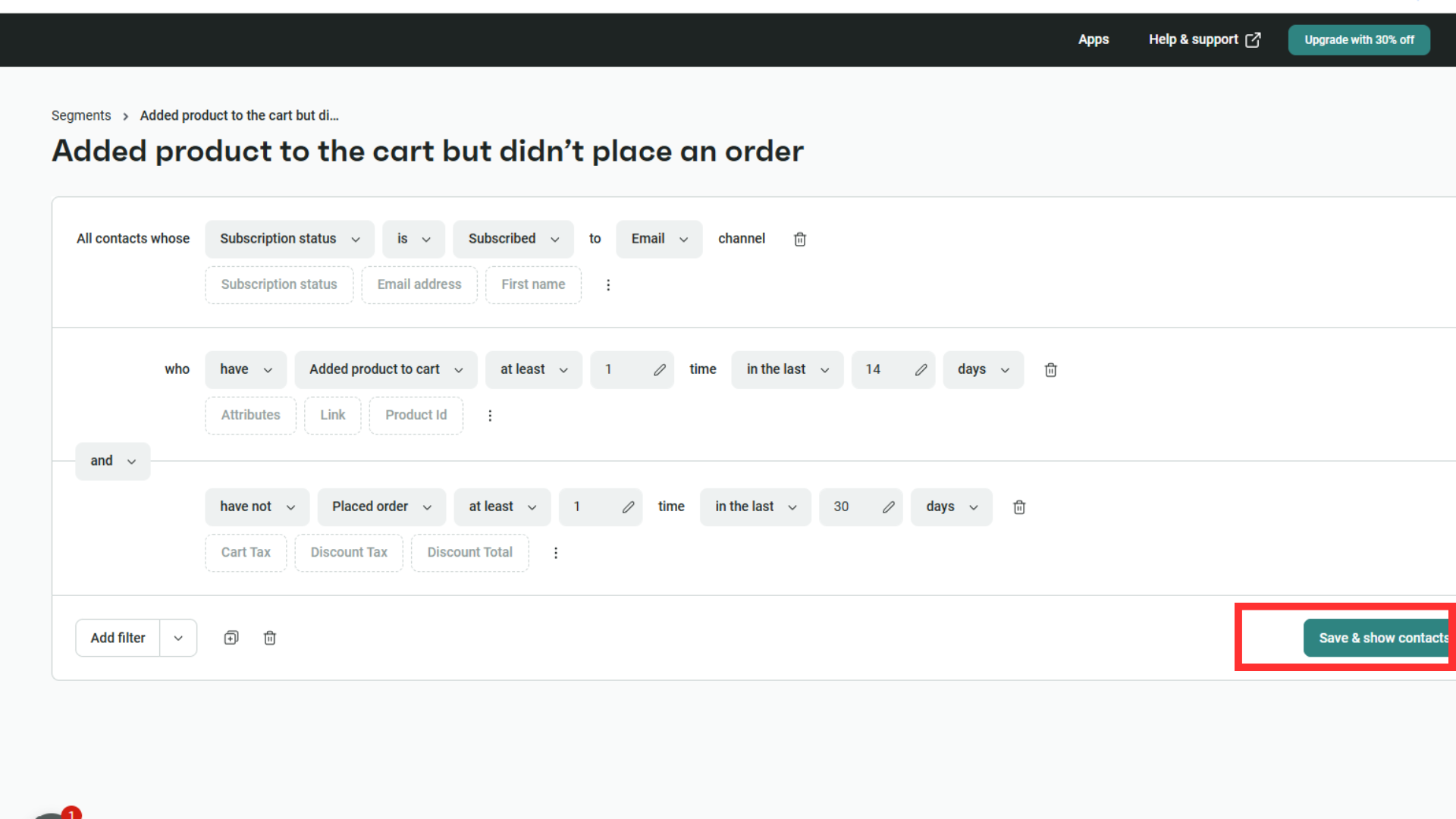
You are done – you now have configured a new segment that contains the customers which abandoned cart.
3. How to segment high-spending customers:
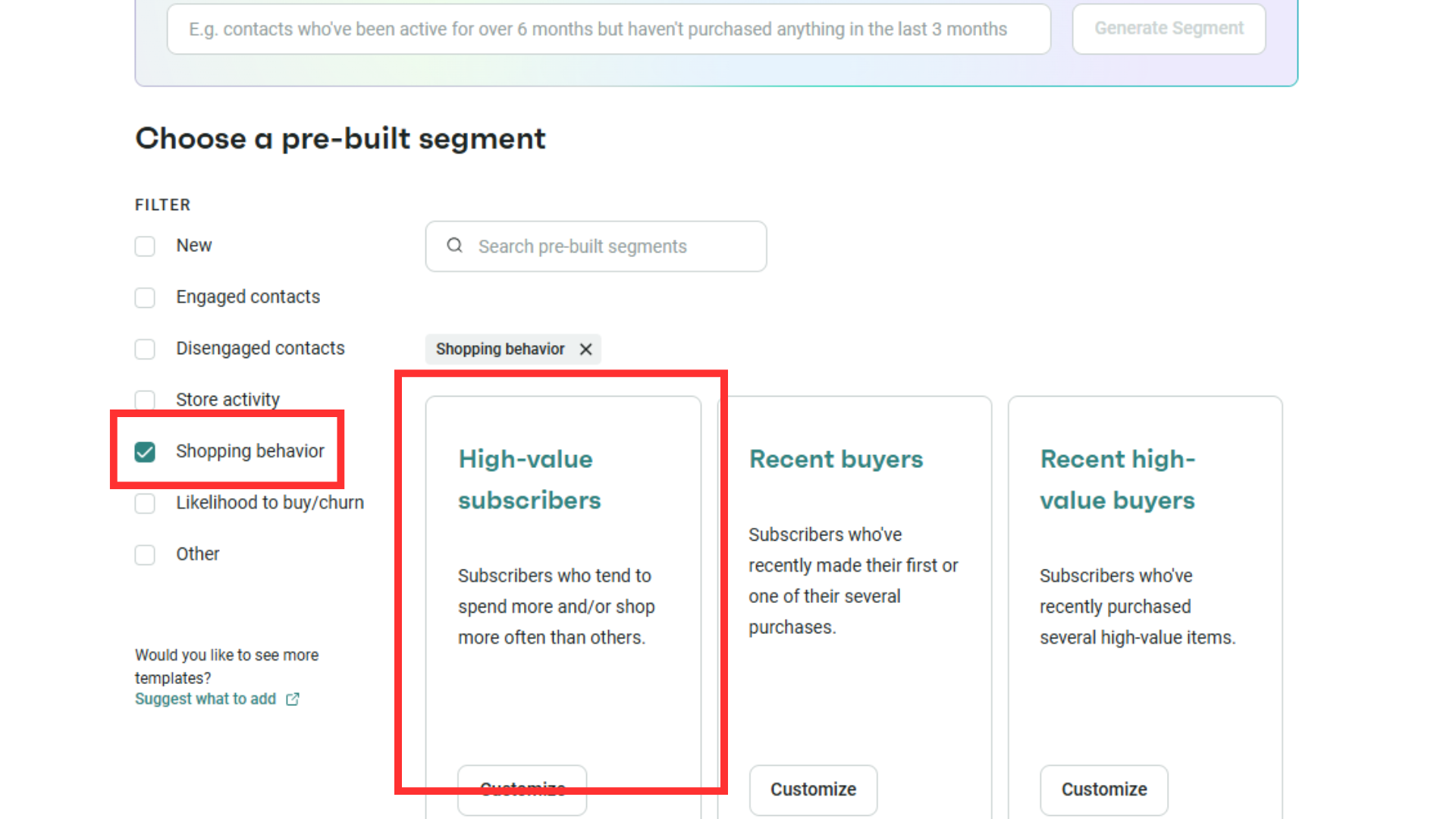
Following on from Omnisend templates, we can also use them to segment high spenders for us to follow up on. Head to “Shopping behavior” then “High-value subscribers”:
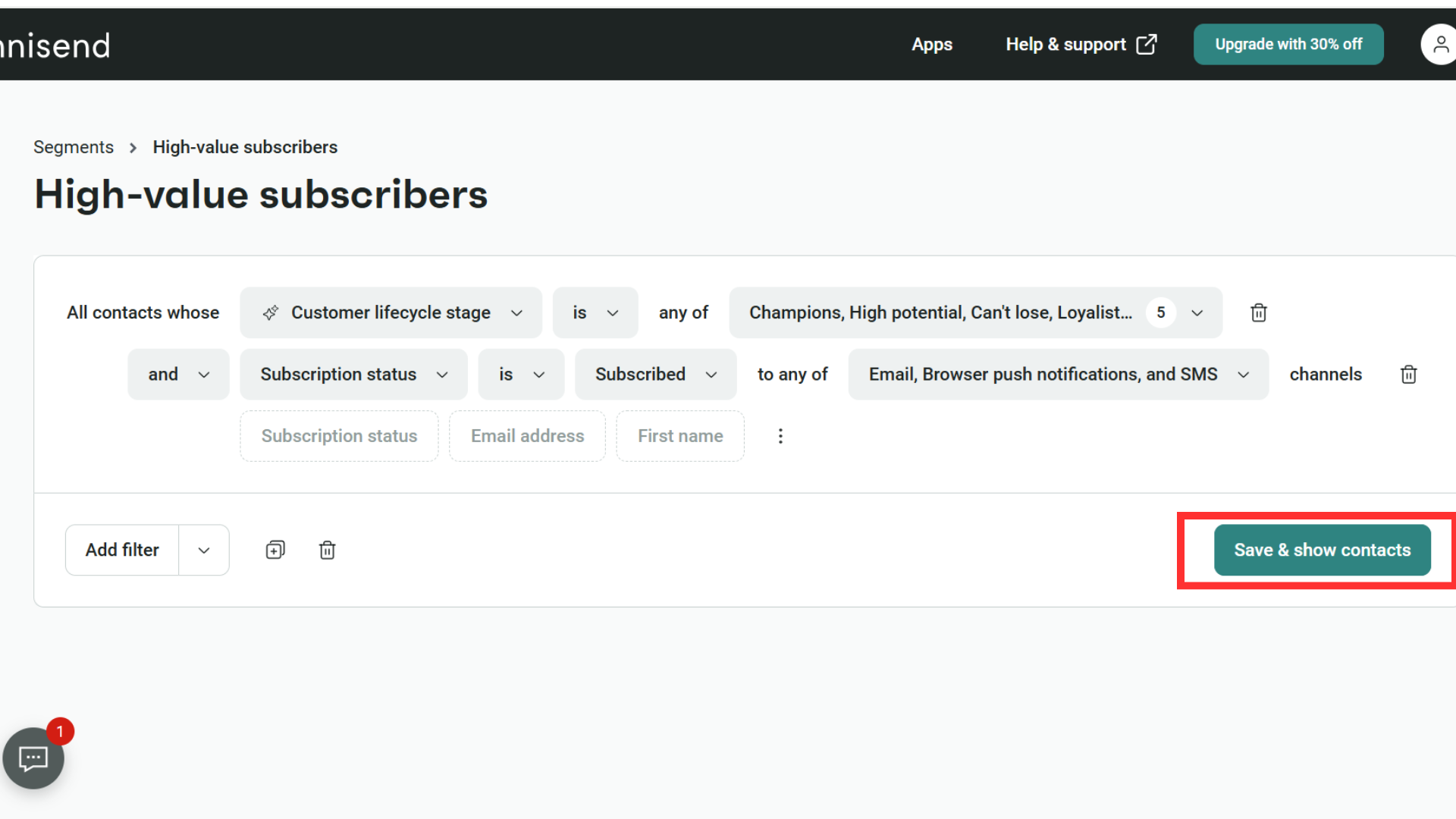
Onced saved, you have another segment ready for you to run campaigns.
4. How to engage customers who haven’t brought from you before:
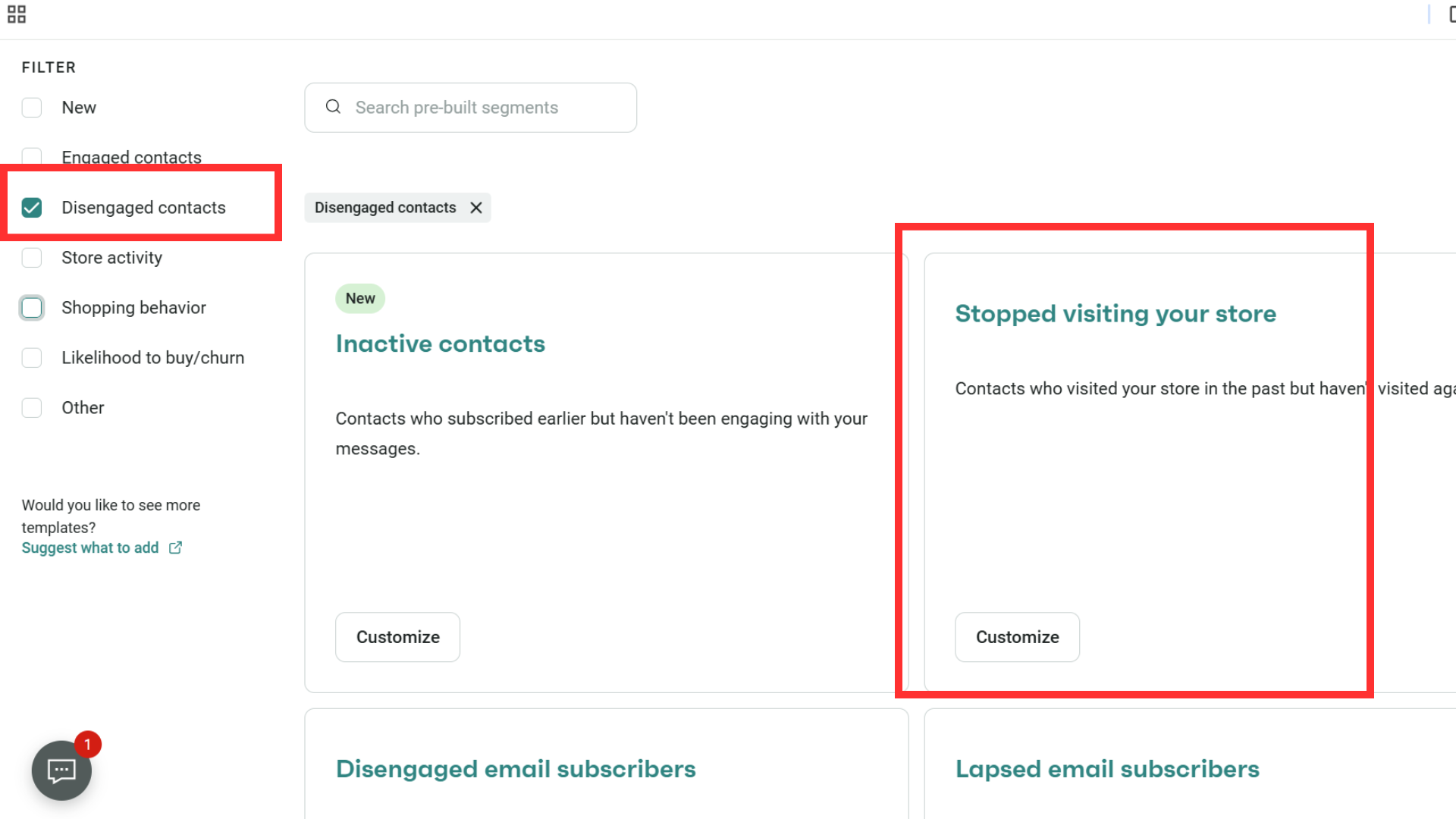
Back to templates again; this time let’s choose “Disengaged contacts” & “Stopped visiting your store”.
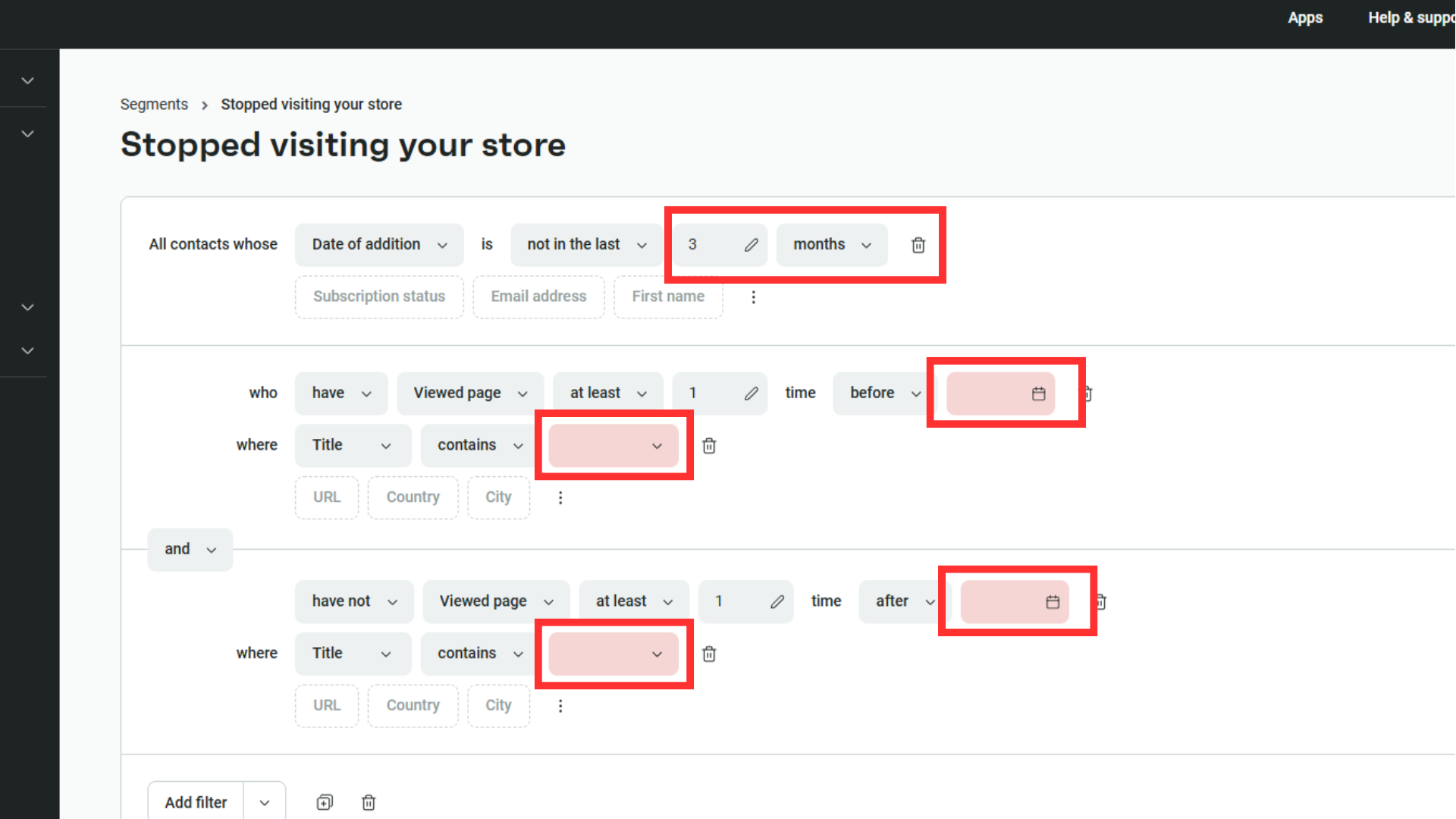
For this segment, you’ll need to define the conditions for the contact to be added to your segment.
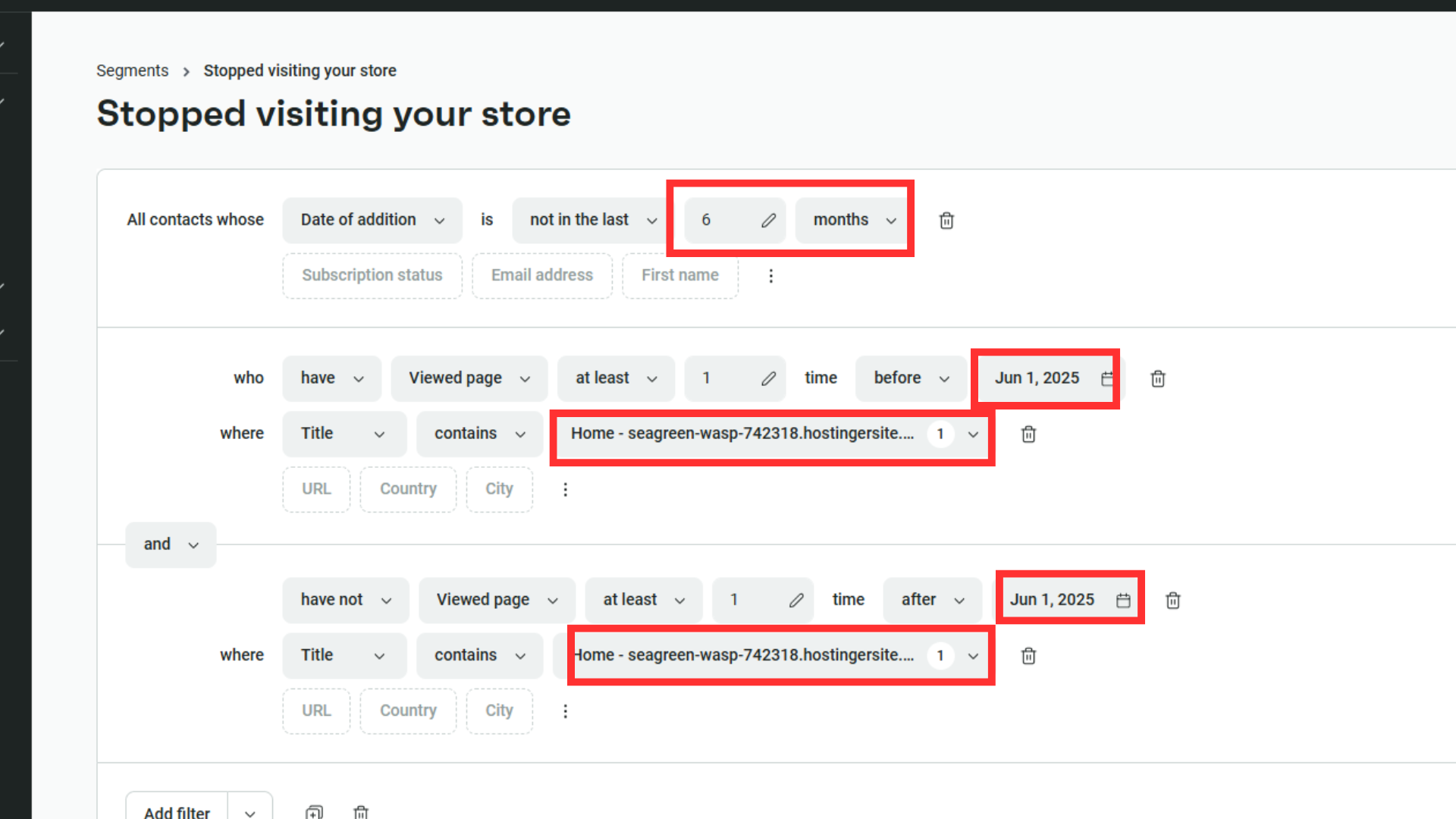
In the below screenshot, we are targeting subscribers whose date of subscription is not in last 6 months, who viewed our homepage over 6 months ago, & did not visit again after that.
5. How to create Omnisend segment from scratch:
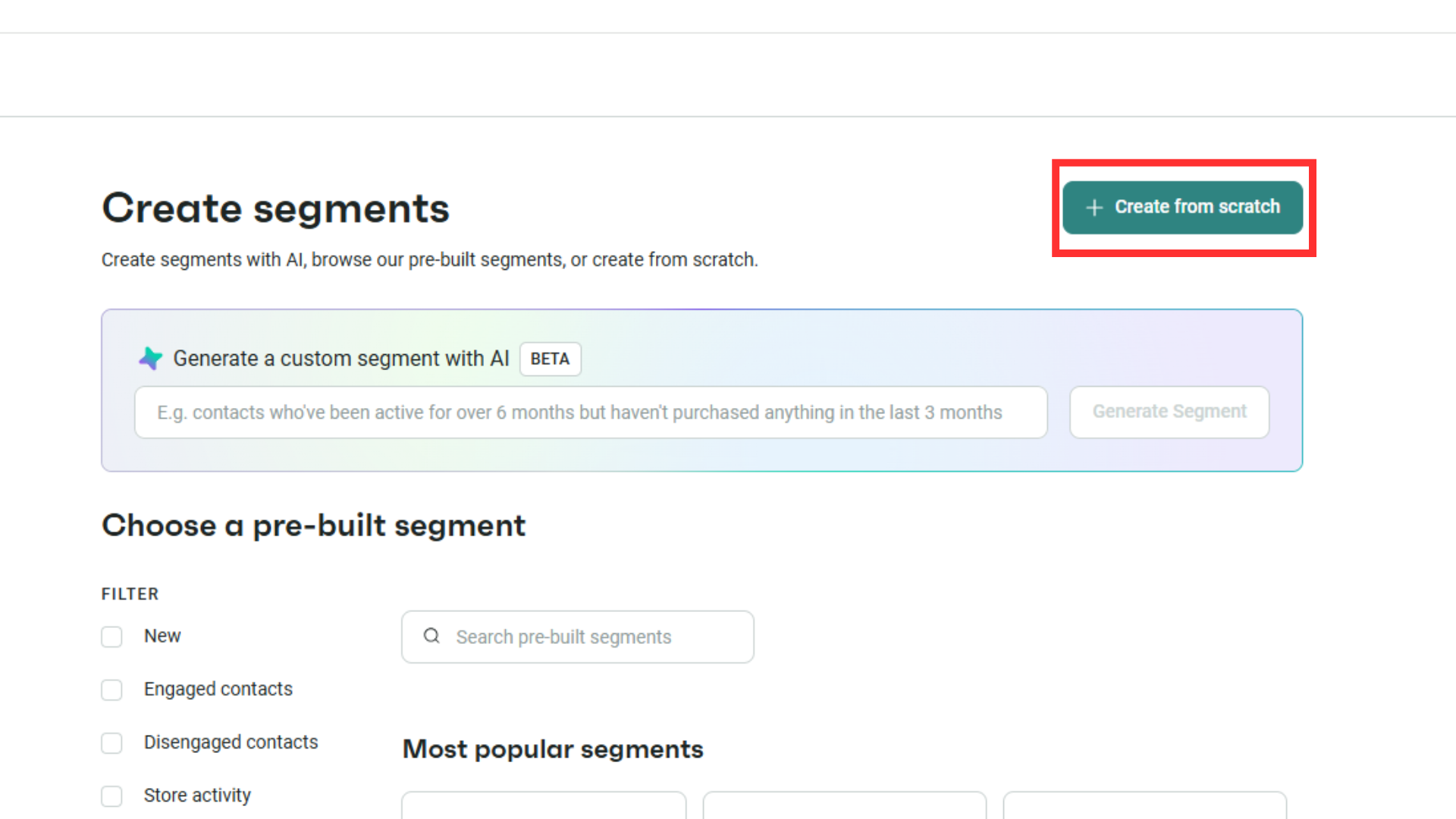
Lastly, let’s talk about how to create customized client segments in Omnisend. On the segments templates page, choose “Create from scratch”.
Let’s assume you had a promotion event on a certain day, & you wanted to send a brand update email to customers who made a purchase on that day above $100:
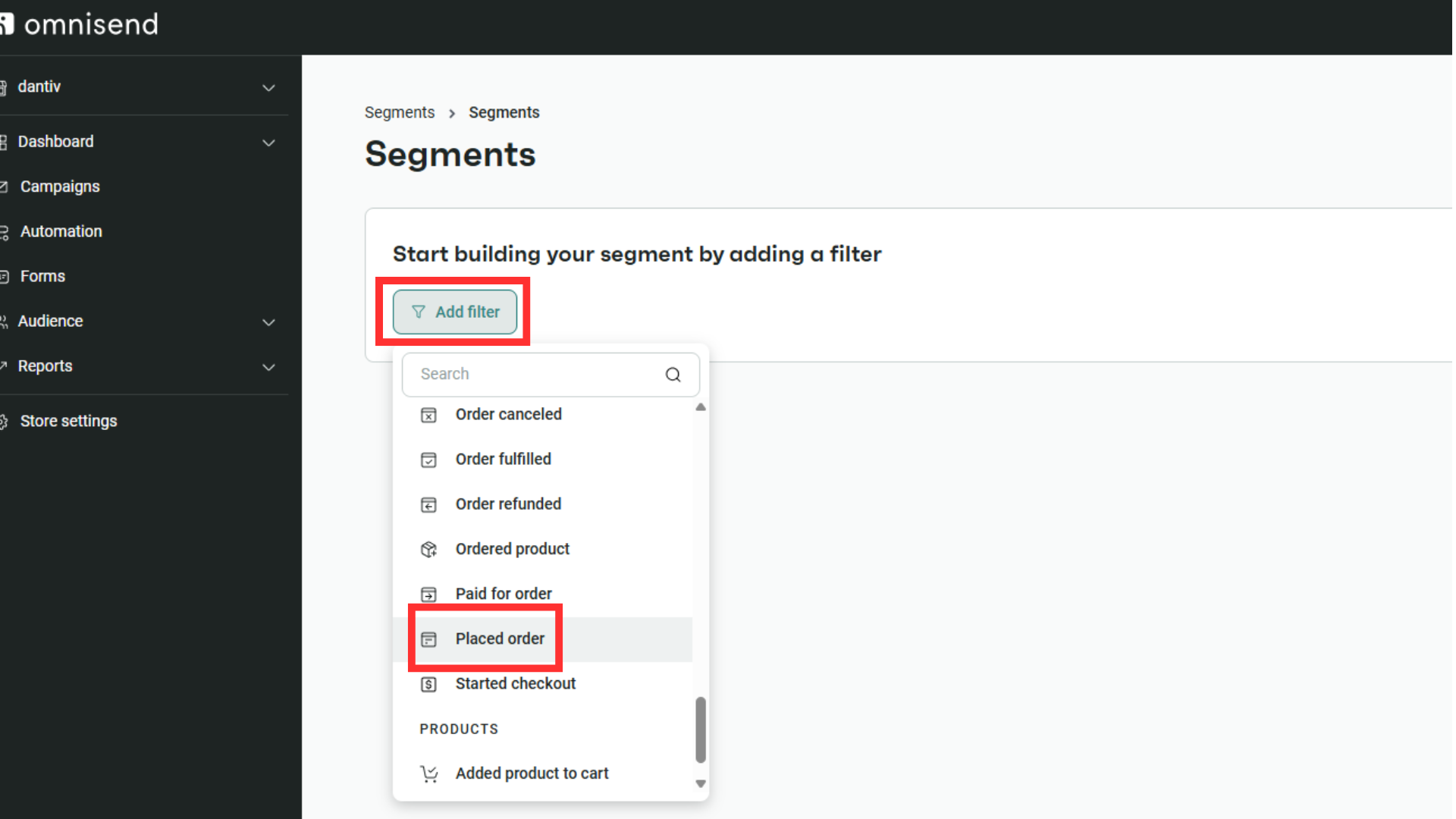
For filters, scroll down & choose “Placed Order”.
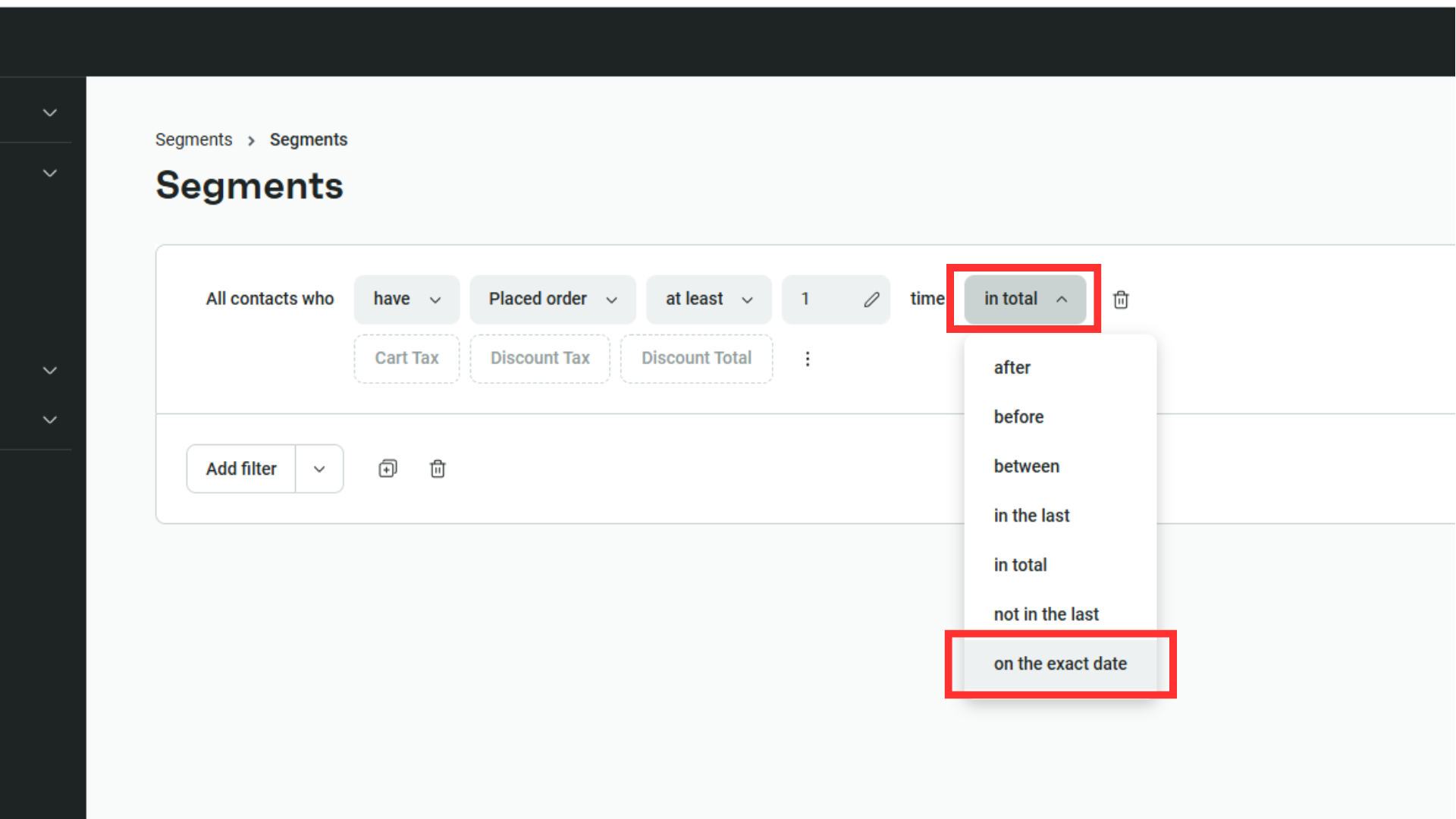
There’s an initial setup ready – let’s change “In total” to “On the exact date”, & then pick a date.
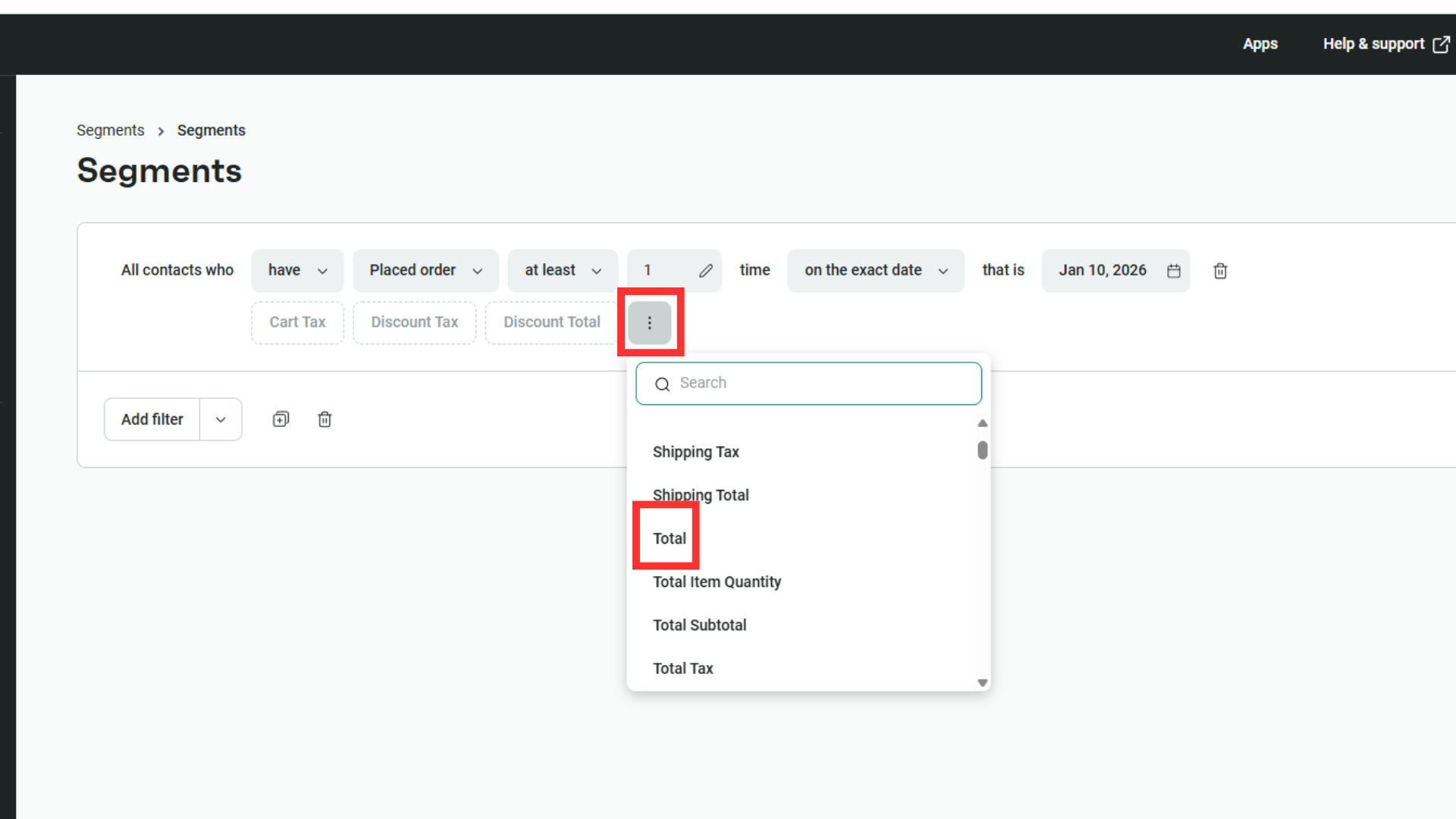
Then click on the three dots, scroll down & choose “Total” to set the minimum price.
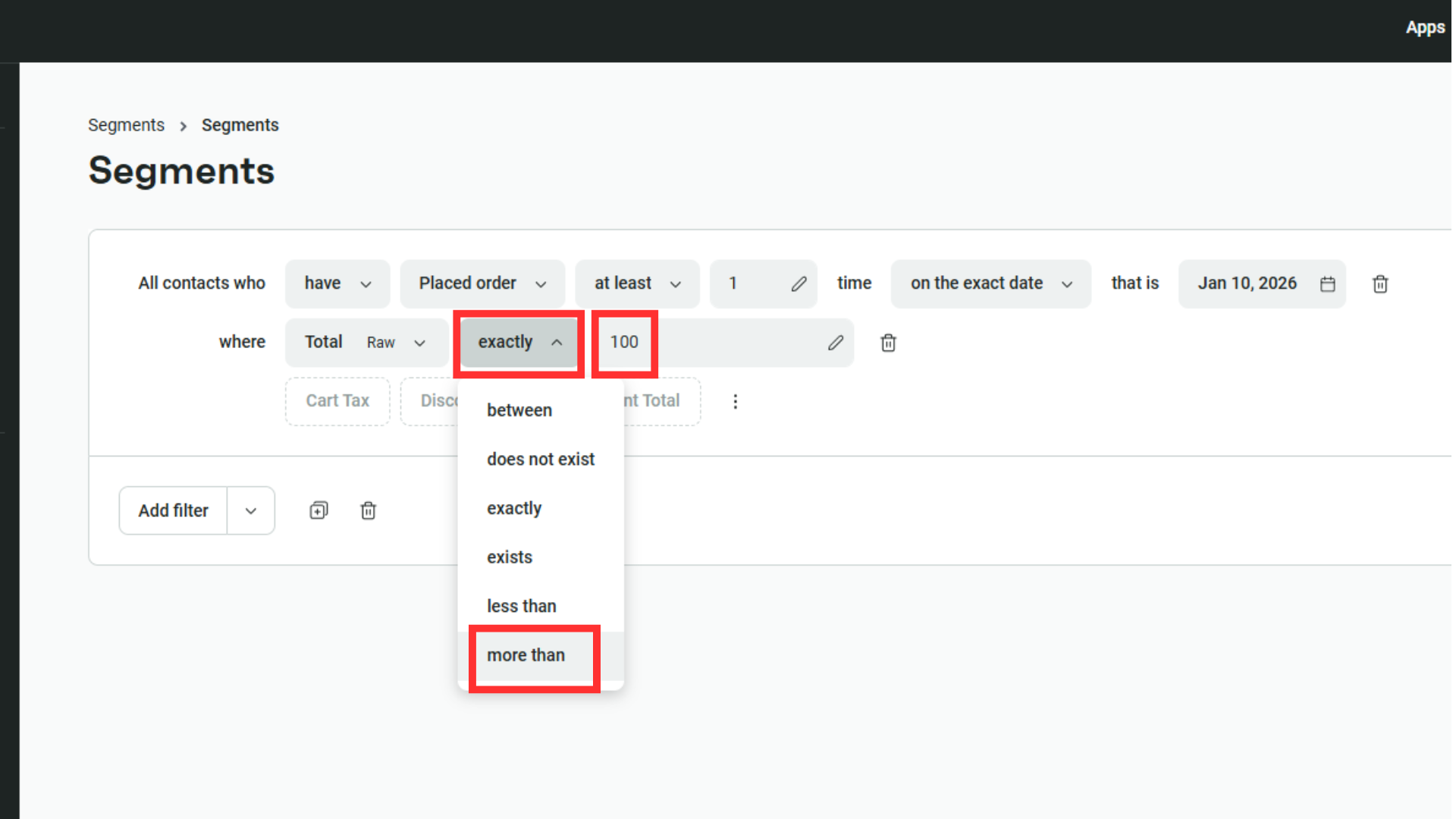
Change “Exactly” to “More than” & add a value as a minimum.
Then hit “Save” & you’ve created your first custom segment!
Start the Engagement
In Omnisend, there are two main ways you can start to work your segments: Campaigns & Automations.
Start Campaigns by clicking on “Campaigns” then “Create email campaign”.
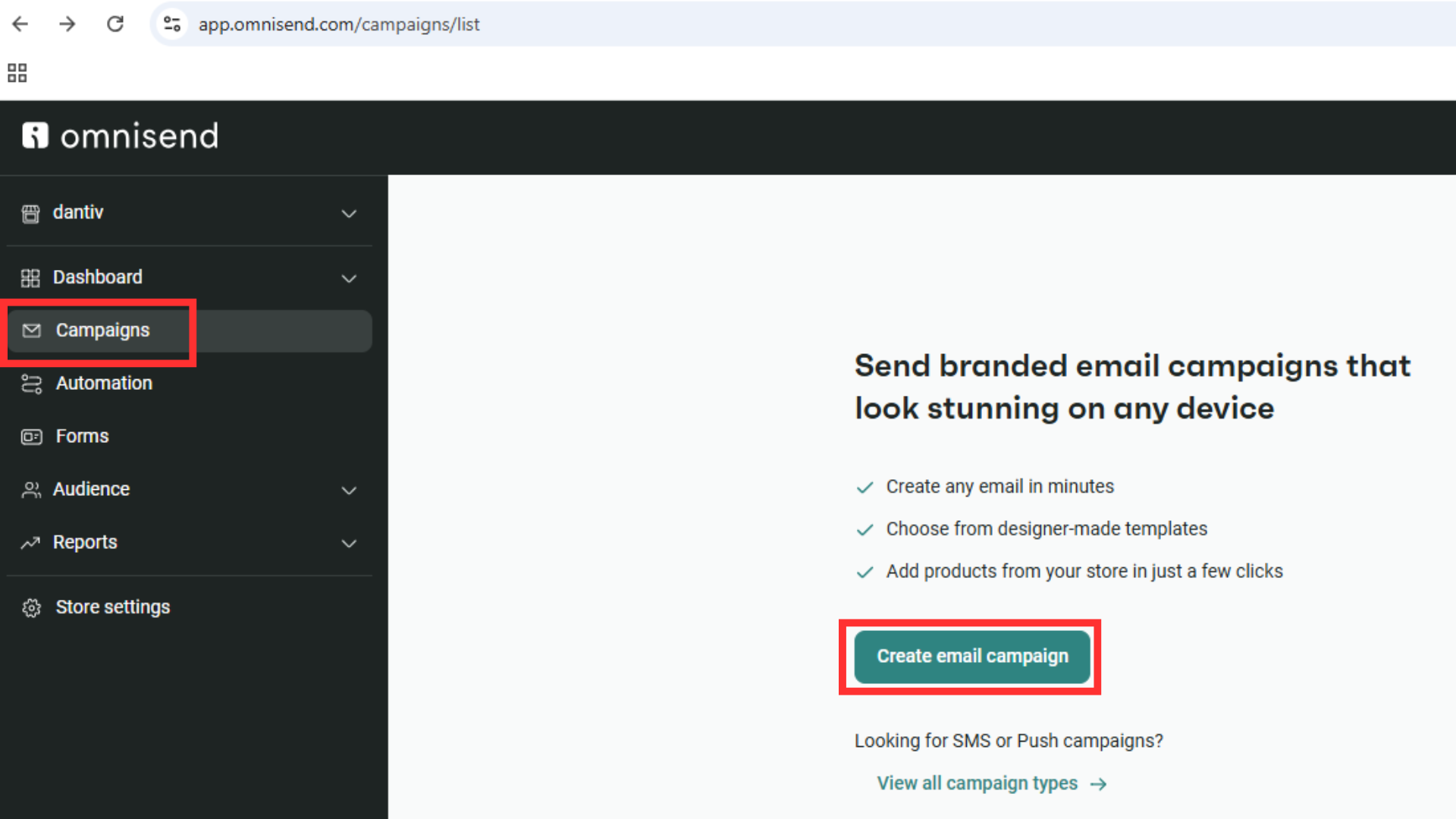
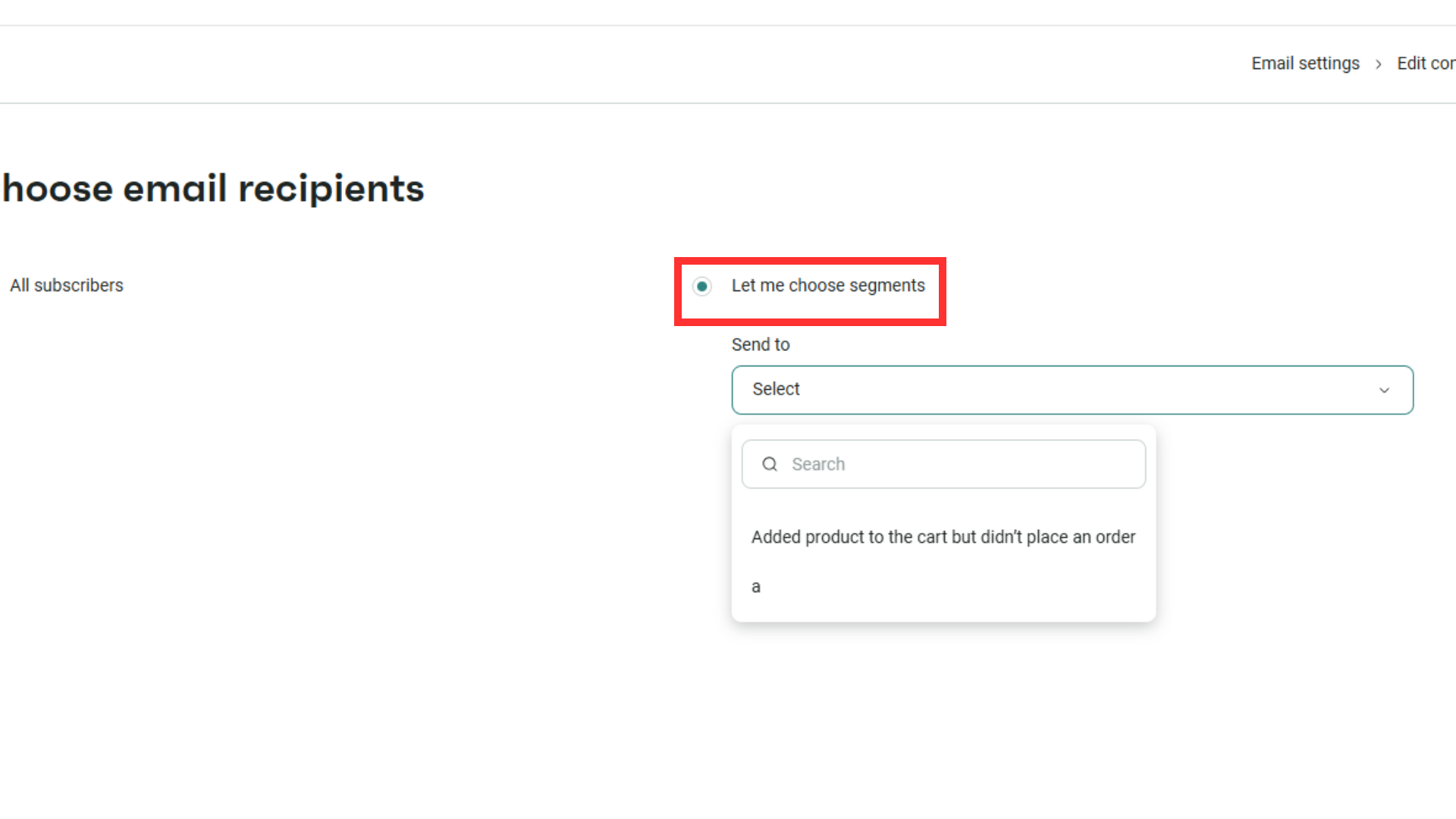
You’ll need to fill in email details then choose a template. Once done, you can select which customer segment you want to use the email campaign for.
For Automation, go to Automation > Create Workflow > Create from Scratch. When the workflow template appears, click on “Please select event” then “Entered segment”.
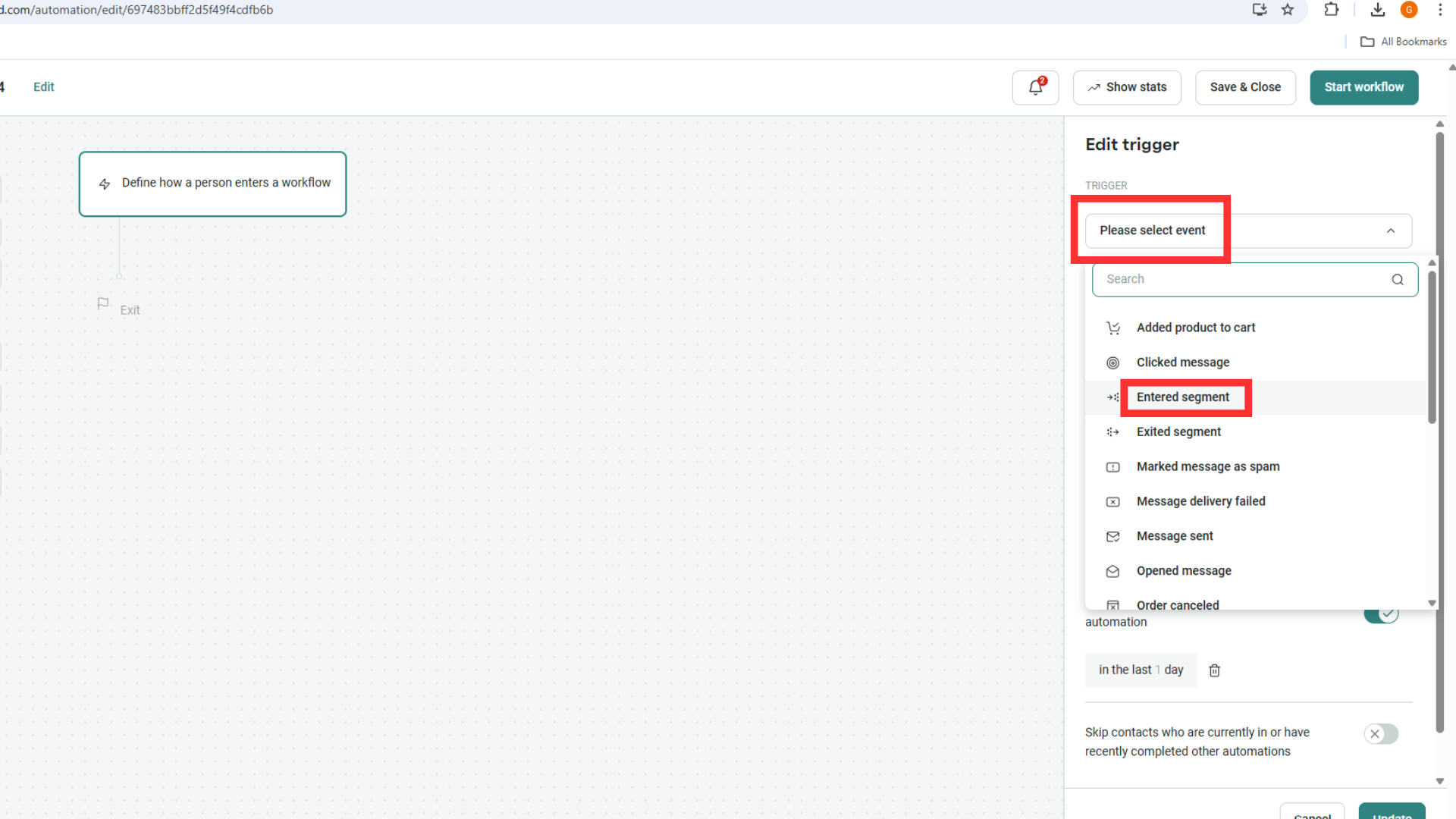
Select the segment you’re aiming for, then continue the rest of the setup for the automated workflow for target market segmentation.
Get Personalized
With customer segmentation marketing, you’re now able to segregate and target actions for each client segment, something that will connect on a better level with them.
You can also use these strategies to re-activate lost customers & engage with new ones to grow share of wallet.
Summary
Email marketing remains the highest-ROI channel available, often returning $36 to $40 for every $1 spent. Segmentation is the engine behind these numbers; localized or behavior-based emails with client segmentation consistently see higher open rates and up to 3x the revenue of generic “batch and blast” campaigns.
Omnisend strictly limits bulk marketing campaigns to “Subscribed” contacts to comply with anti-spam laws.
The best way to boost engagement is through Behavioral Segmentation. You can send trigger emails based on what a user was looking at, or VIP rewards/Win-back emails to high value customers & dormant ones.
Yes, at dantiv we are a specialized web development agency focused on Customer Market Segmentation & professional services for SMEs & eCommerce brands. We support our customers through all stages of the eComm journey, helping them to boost top-funnel growth & attain overall revenue increase.